
Myopia CareLaunchedMYOPIA CARE PRODUCT PLATFORM
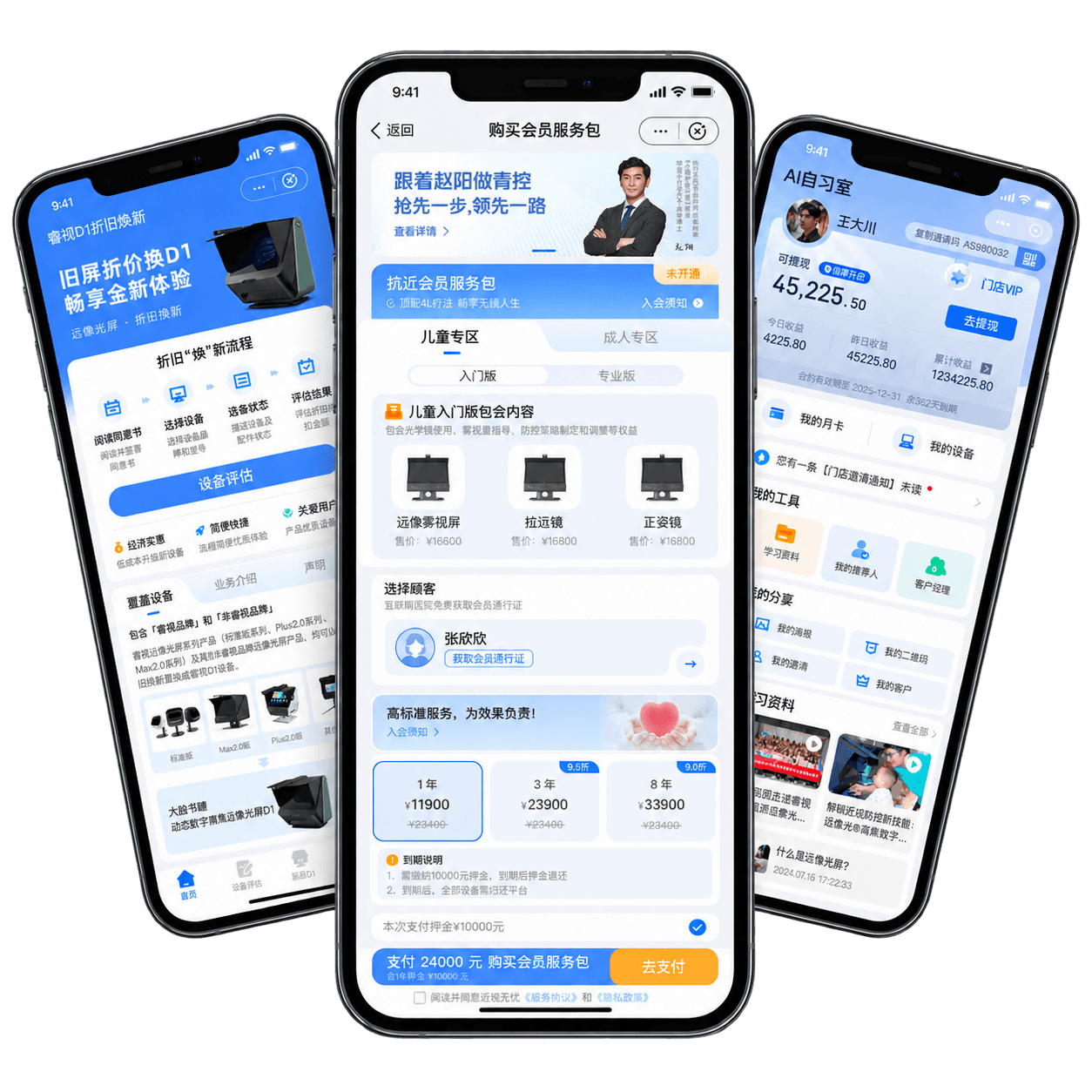
Myopia Care comprises four mini-program groups: a consumer marketplace, merchant operations, AI Study Room, and device trade-in. Released in phases, they serve families, offline stores, and channel merchants across product purchasing, membership, in-store training, merchant operations, and device replacement.
- My role
- Sole UI designerResponsible for interaction, UI, and implementation QAContributed to acceptance at each launch phaseTook on product definition in later phases
- Period
- Initial Myopia Care release: 2024.06–08Device trade-in: 2024.11AI Study Room: 2025.05
- Delivered
- Consumer marketplace and membership launchedMerchant mini-program launchedAI Study Room customer and merchant products launchedDevice trade-in mini-program launched
- Core capabilities
- Consumer commerce, membership, and family-member systemMerchant verification, membership, commission, and earningsOffline training services and device trade-in assessment
01 / Problem
Multiple services, multiple roles.
Products, memberships, in-store training, and merchant operations live across different mini-programs. Each role needs a different homepage and task path.
Connect products and services
Products, service packages, memberships, and family members are linked, while the buyer is not always the person receiving the service.
Different roles, different tasks
Families focus on purchases and training; merchants and channel partners care more about members, orders, and earnings.
Released in phases
Four mini-program groups launched over time, while foundational components, states, and interaction patterns needed to stay consistent.
02 / Consumer
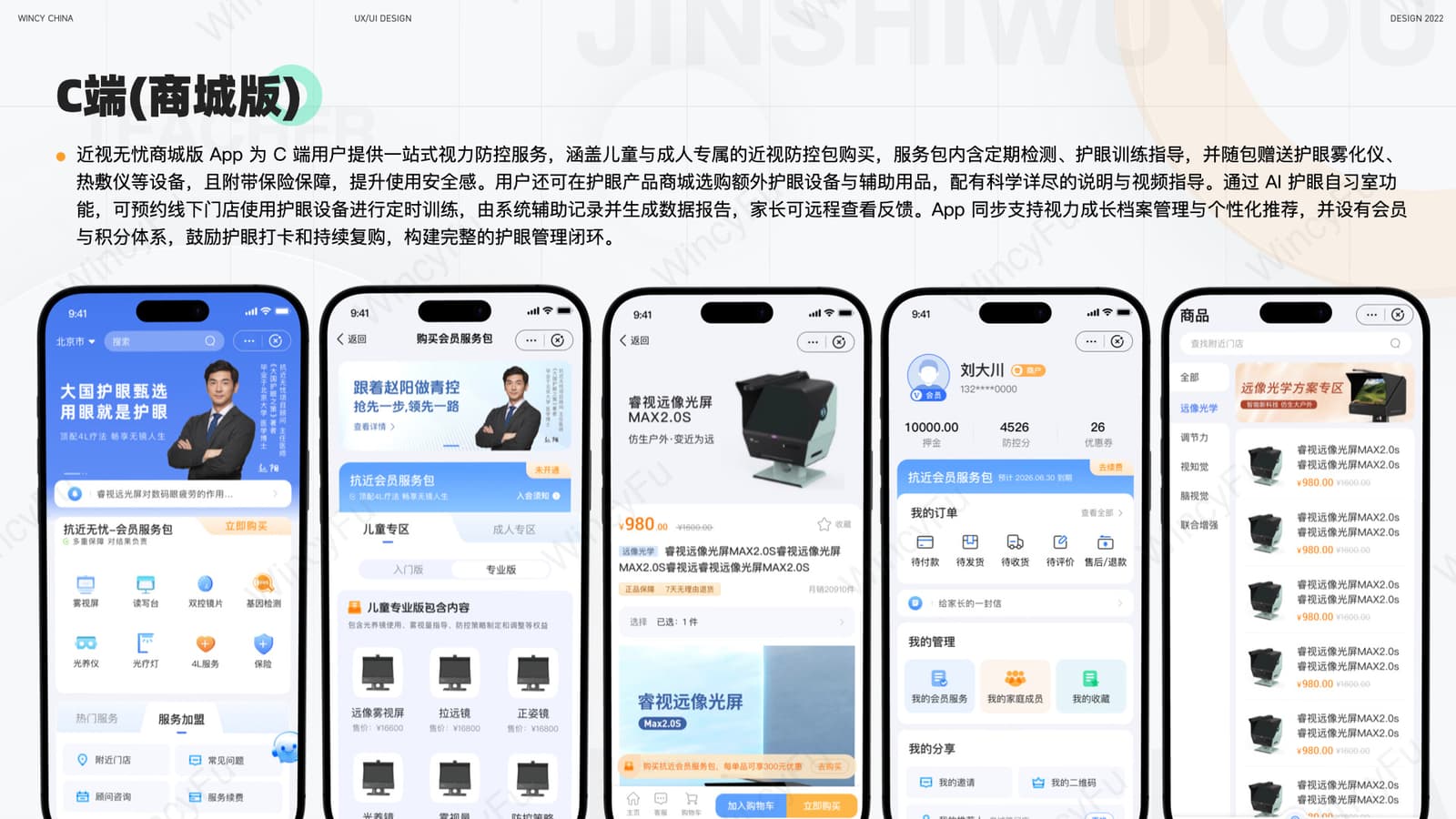
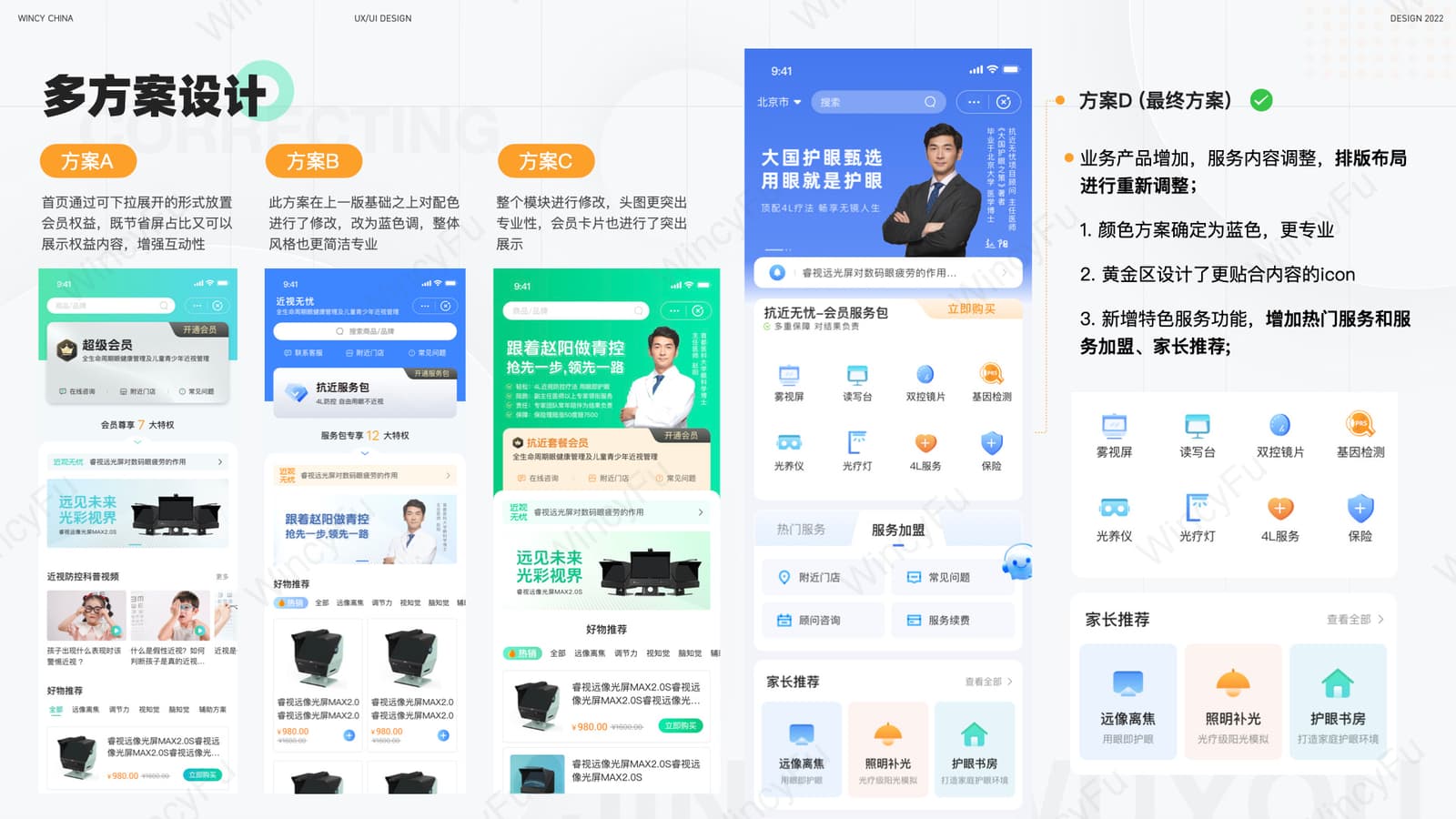
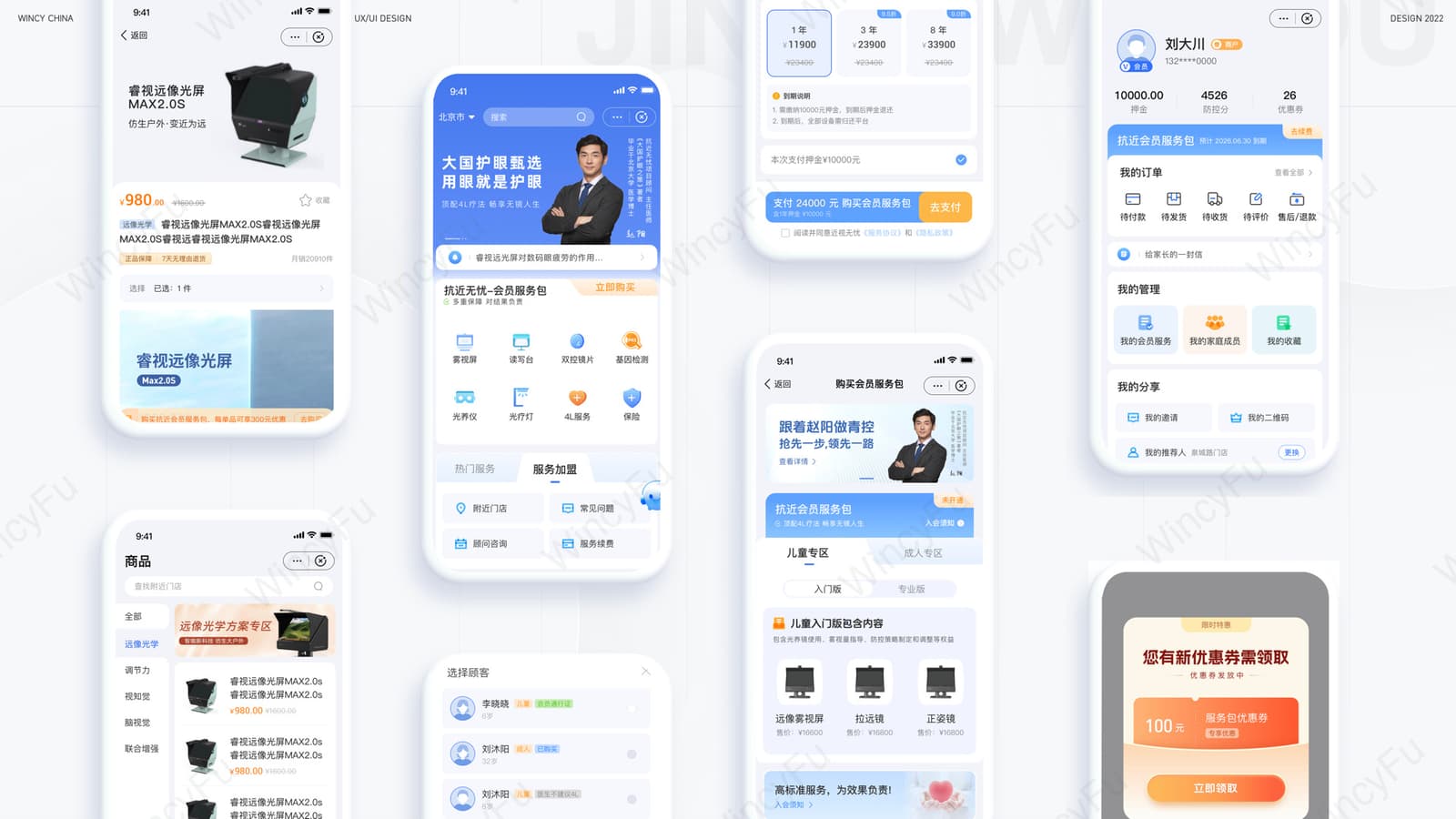
Consumer: purchase products and manage family memberships.
Service packages show the intended user, term, and benefits. At checkout, customers select the family member who will actually use the service, separating payer from user.
03 / Merchant
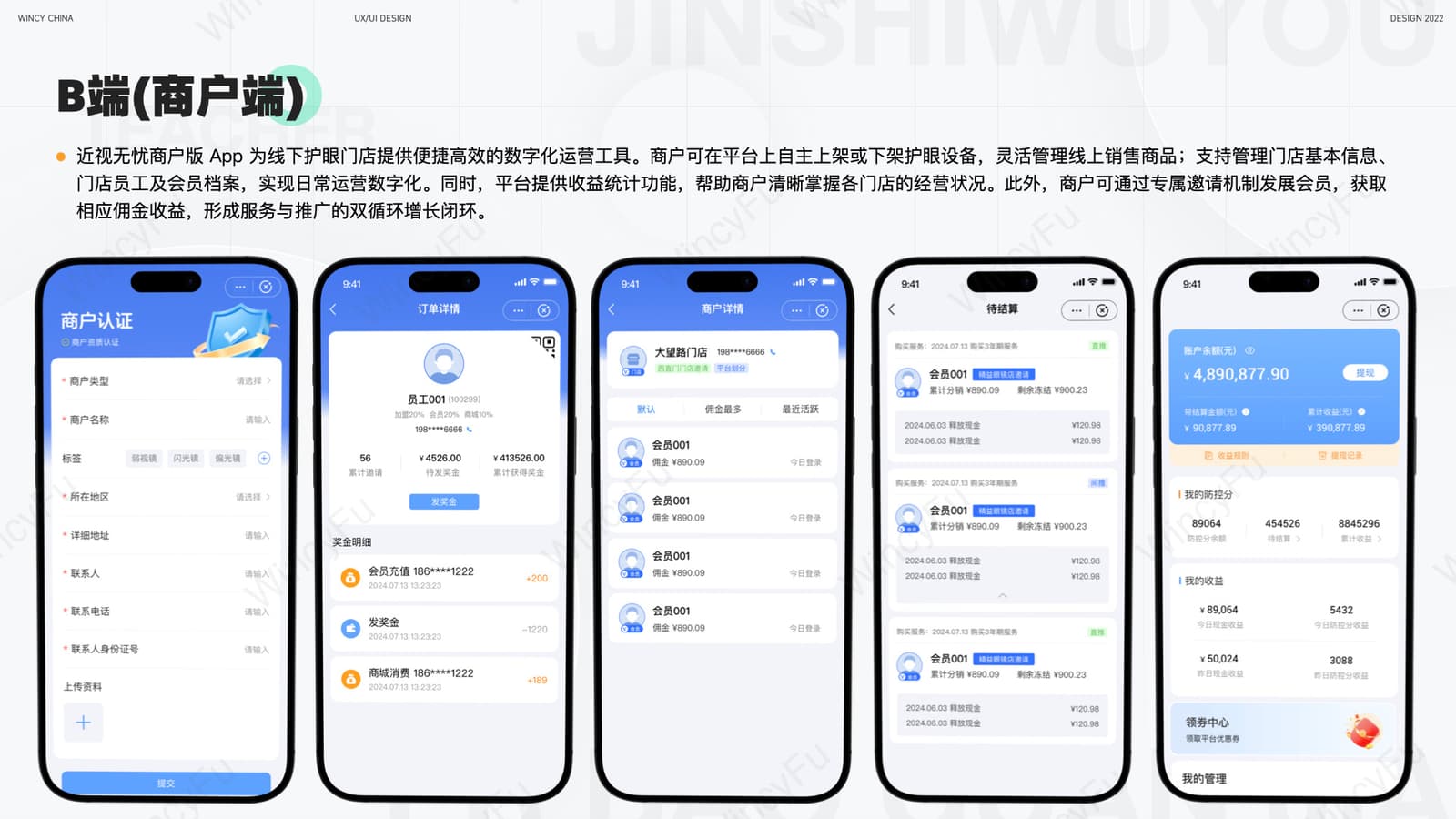
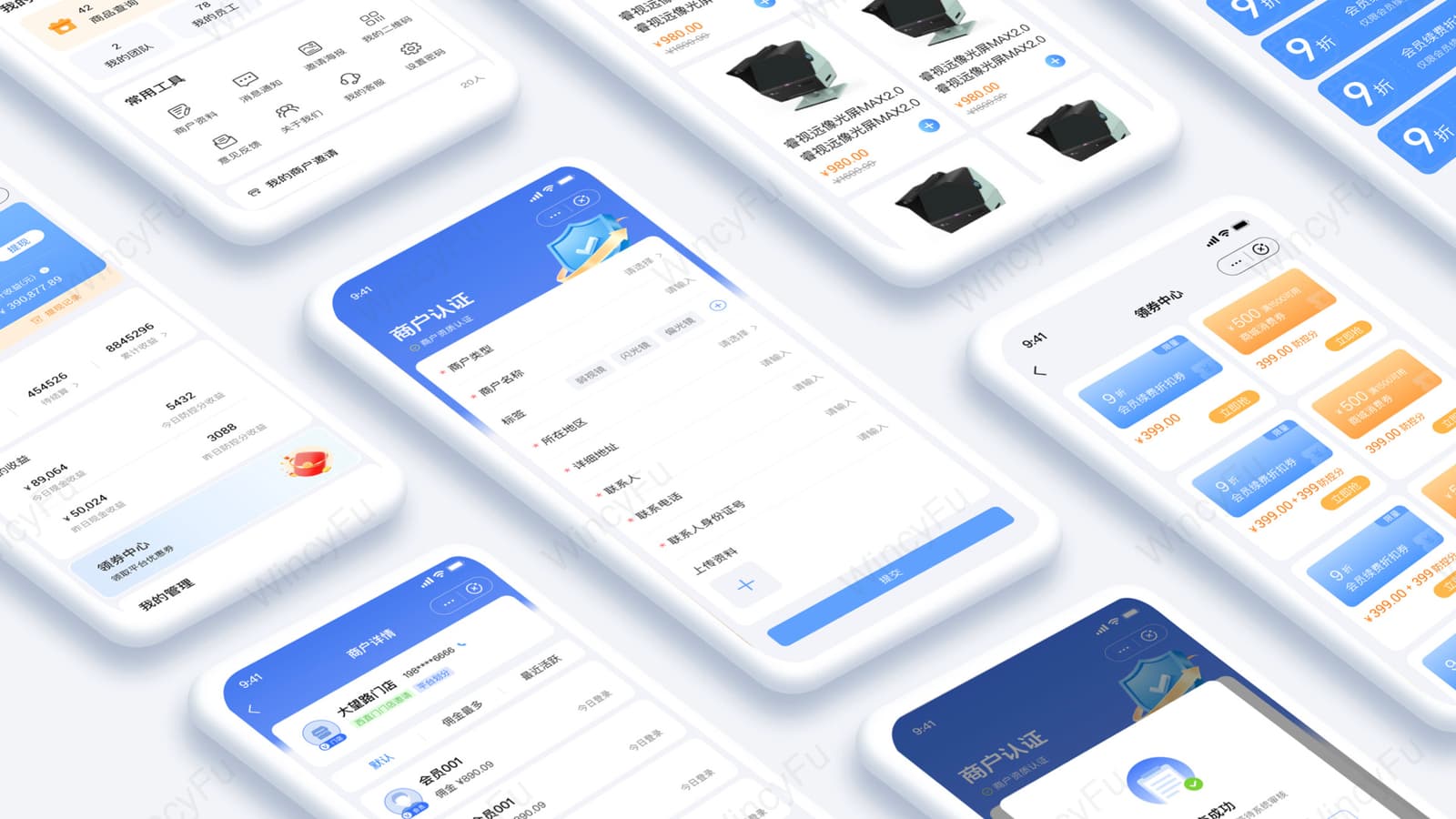
Merchant: manage products, members, and earnings.
The merchant homepage organises certification, products, members, orders, teams, and settlement around everyday operating tasks.
04 / AI Study Room
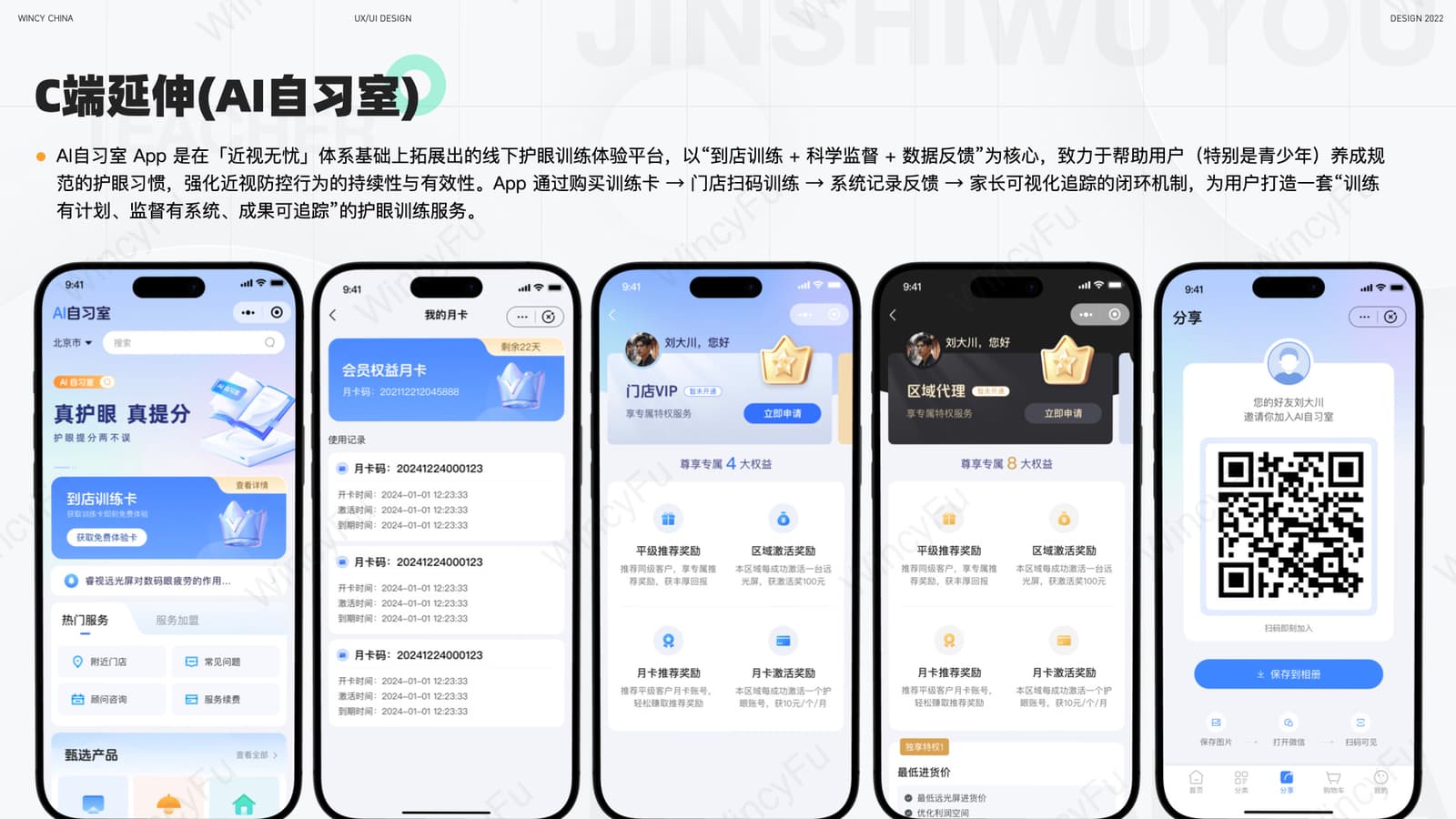
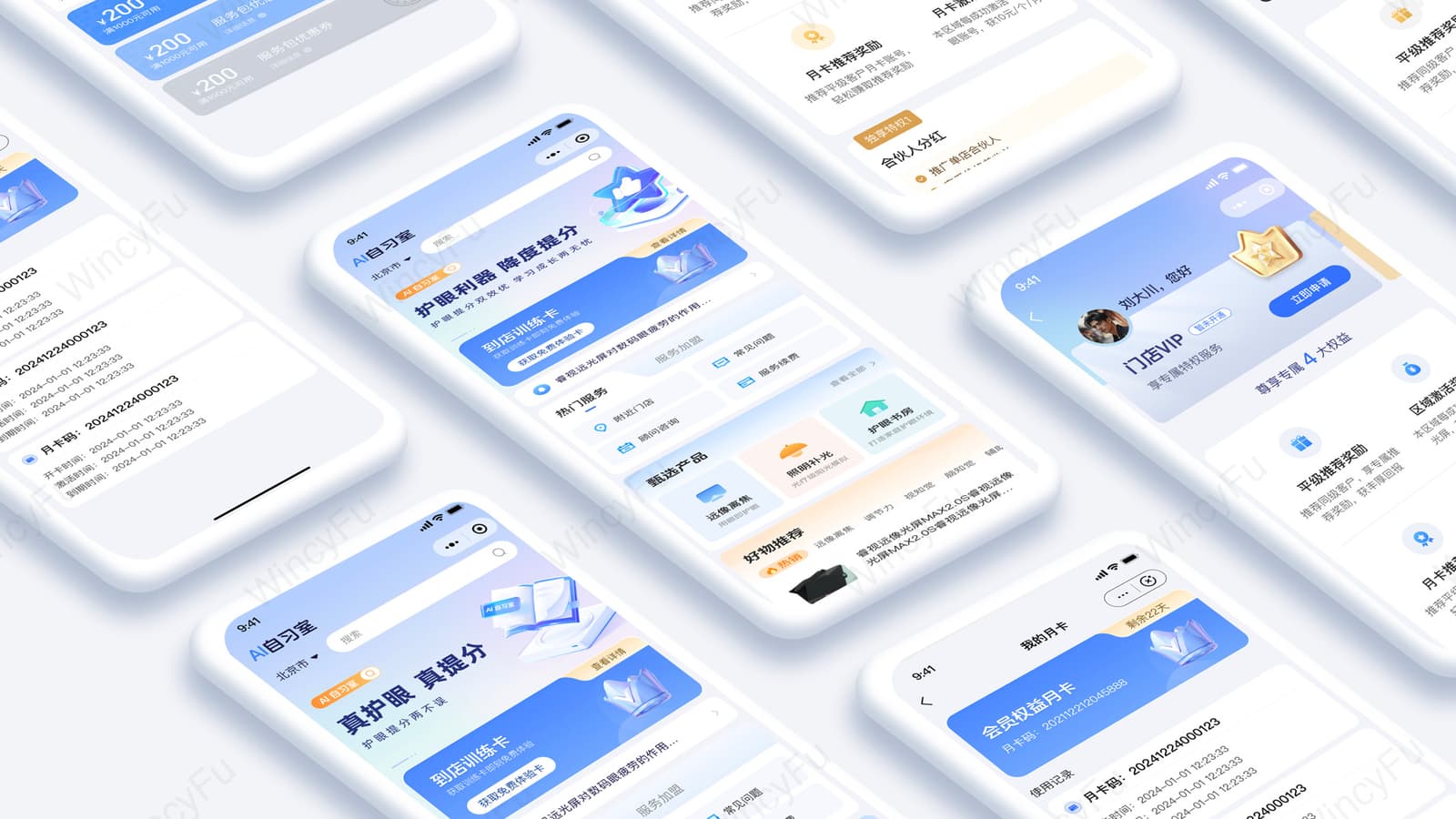
AI Study Room: connect online purchase with in-store training.
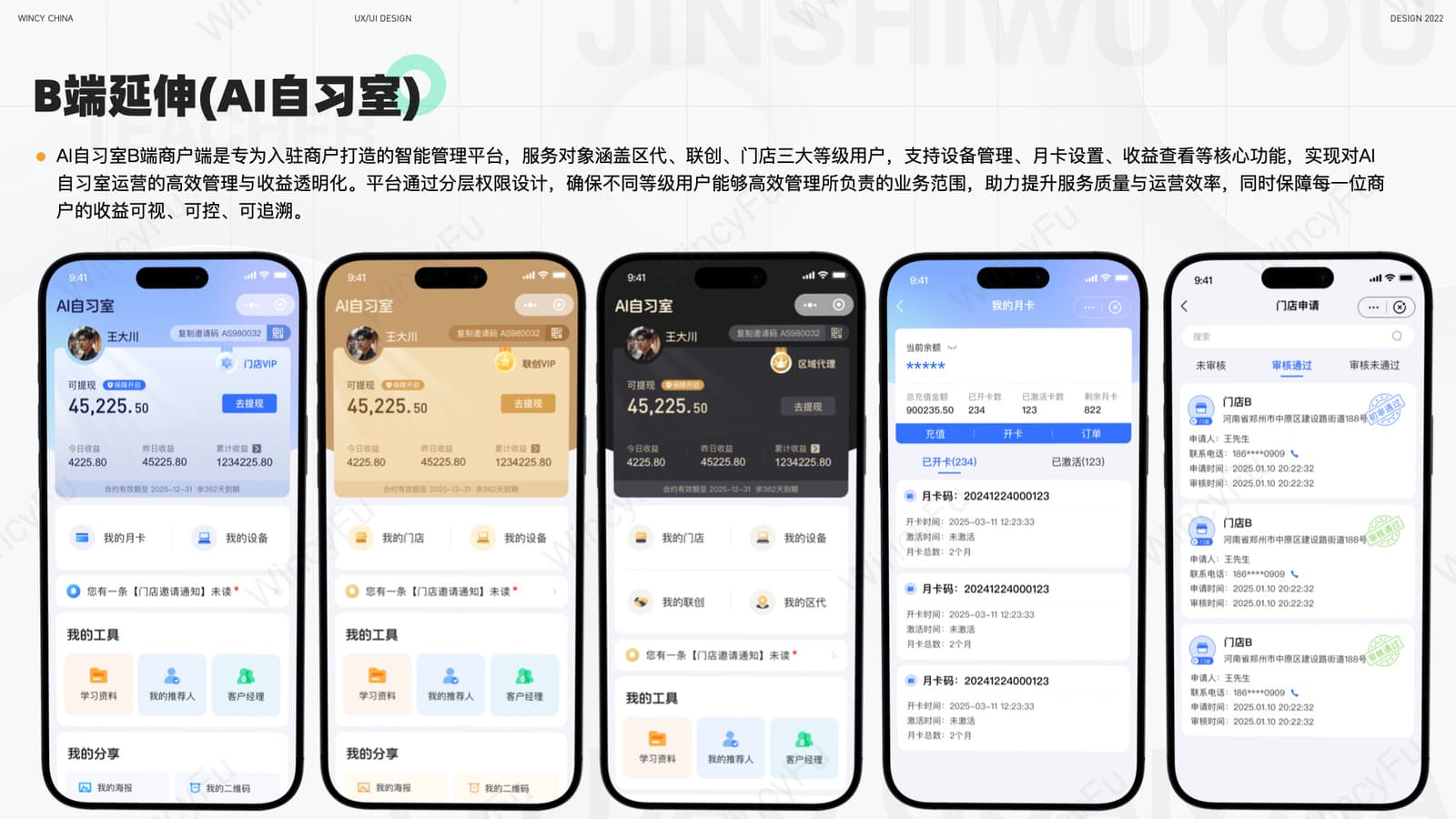
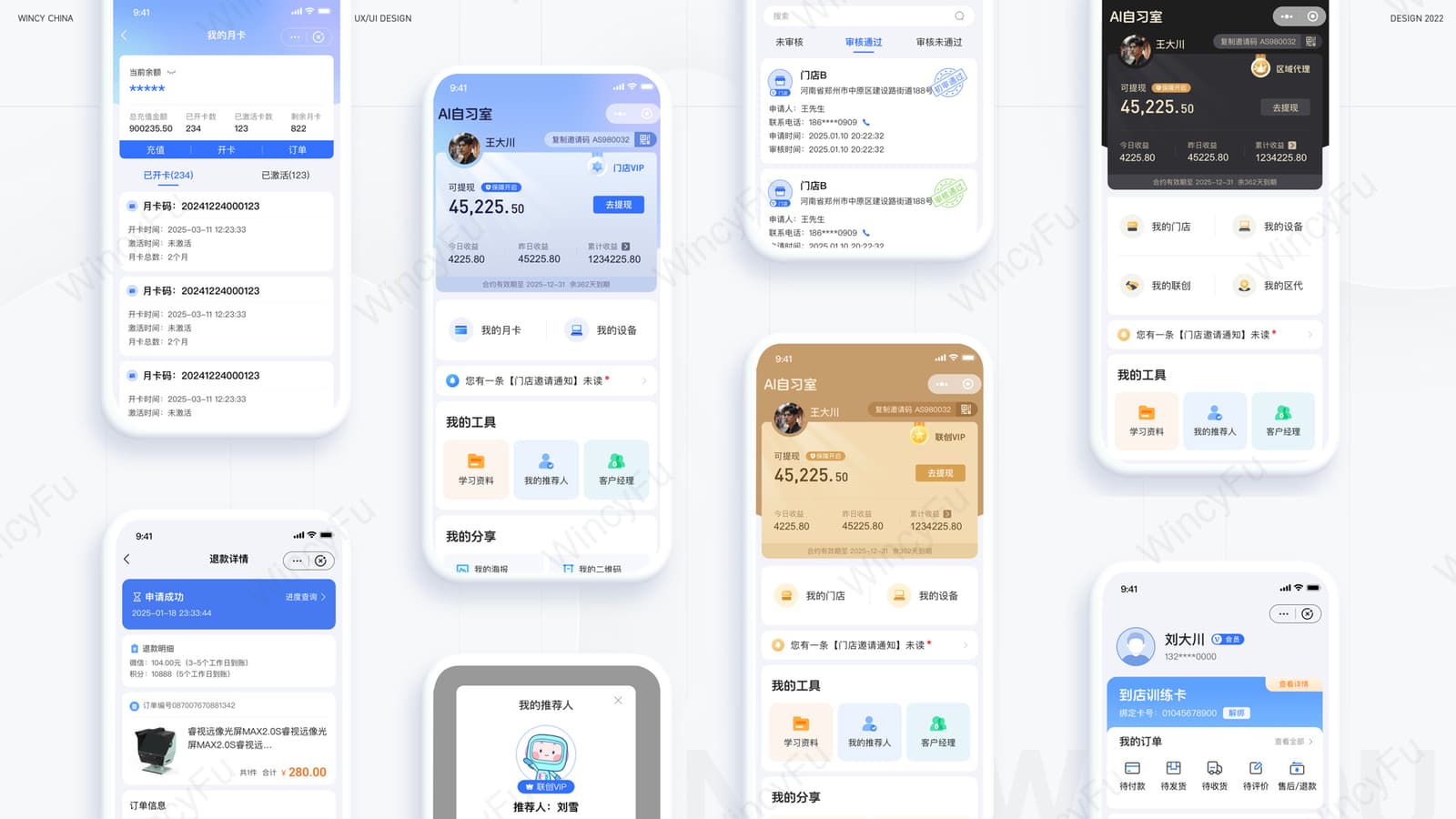
Customers purchase a trial or monthly pass and train at a nearby store; merchants manage locations, devices, customers, services, and earnings. “AI Study Room” is the product name and does not imply AI diagnosis or treatment.
05 / Device Trade-in
Device trade-in: complete the assessment step by step.
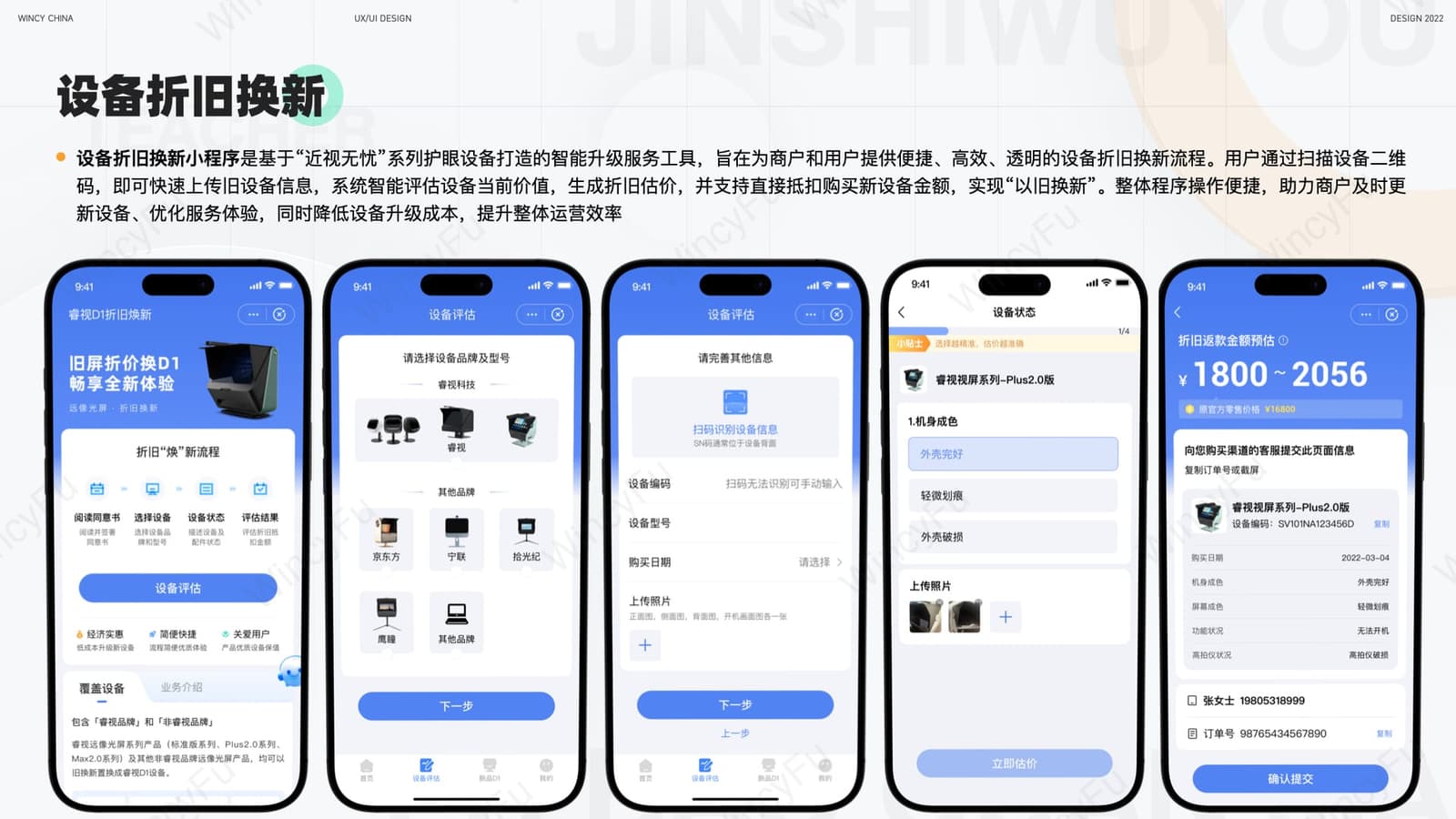
Customers enter device information, inspect its condition, upload photos, review the estimated value, and submit it for service-provider confirmation.
- 01Choose deviceBrand and model
- 02Identify detailsSerial number and purchase date
- 03Assess conditionExterior, screen, and functions
- 04Upload imagesAdd device photos
- 05Submit valuationEstimate and provider confirmation
Design Highlights
Design highlights
Consistency across products
Reused foundational rules for colour, cards, states, buttons, and account information.
Role-based entry points
Families, stores, and channel merchants each see their most frequent tasks.
Make services and benefits clear
Clearly presented package contents, terms, deposits, insurance, and renewals.
Complete the product definition
When later phases had no product manager, I organised requirements, flows, and screens.
07 / Reflection
Reflection: establish shared rules earlier.
When the first release was completed, the team did not yet know that more mini-programs would follow, so no design system had been established in advance.
From the second mini-program onward, shared components and states should have been organised.
Define the shared foundation first. Components, states, and account information could have been aligned earlier.
Then address service differences. Each mini-program can retain the page structure suited to its roles and tasks.