- AIGC tutorial
- AIGC
- Game Development
- AI Practice
Exploring an AI-Assisted Workflow for Building a Mini Game
Following my experiment with an animated picture book, I explore how AI can support game development—from concept and character design to visuals, sound, and code. This is an initial exploration intended to help other creators turn ideas into practice.

Introduction
In the previous article, we explored how AI tools could help create an animated picture book and experienced their potential for creative content. This time, I am moving into a new area: game development.
This article follows an experiment in using AI across the game development process, from the initial concept and character design to visuals, sound, and code. I hope it gives other creators a starting point for exploring new disciplines with AI and turning ideas into something tangible. Let’s begin.
I. The Elements of Game Development
Understanding the basic elements of game design is essential at the start of development. They shape the core of the game, its quality, and the player’s experience. During planning, I focus on the concept, mechanics, story, visual style, music and sound, and technical implementation. Once a version is built, testing, feedback, and iteration help improve it.
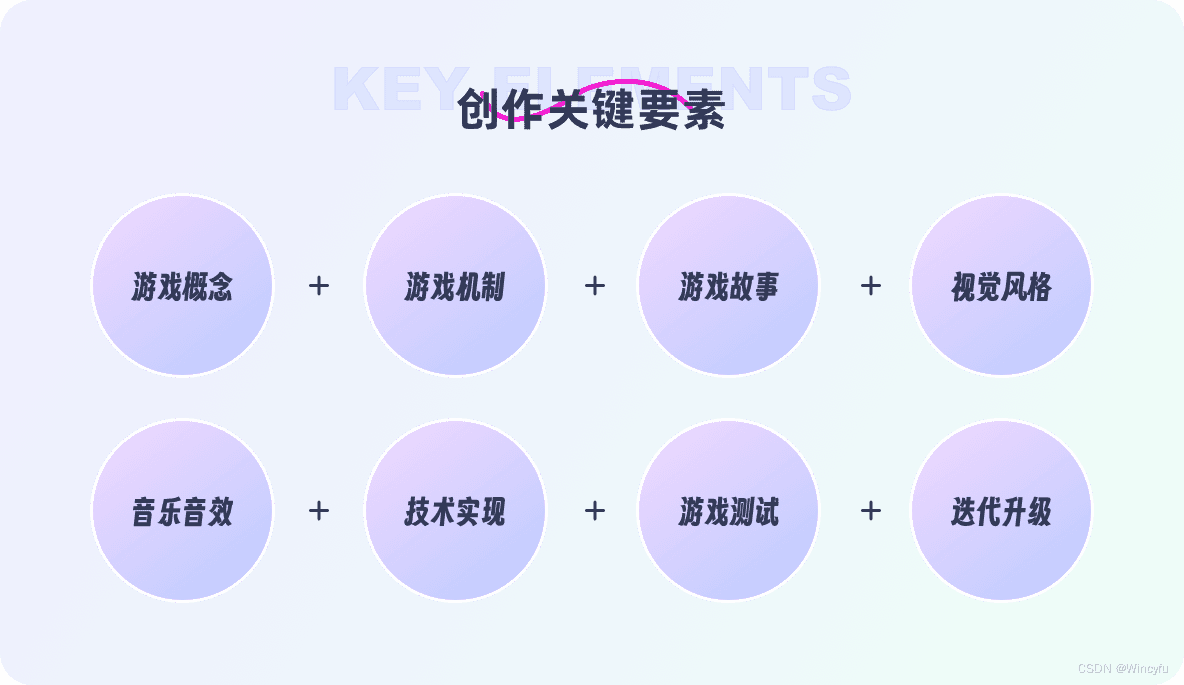
Game concept: This is the starting point for the design process. It defines and refines the basic idea, core gameplay, theme, and intended audience. At this stage, the game’s framework and direction need to be clear.
Game mechanics: These are the rules and systems that make the game work, including how players interact with it and how it responds to their actions.
Game story: A story gives players context and helps them feel immersed. A compelling storyline unfolds through characters, dialogue, tasks, and plot development.
Visual style: The artwork includes characters, environments, user interface, and animation. Visual elements should follow a consistent style that suits the game’s theme and atmosphere and appeals to its intended audience.
User interface (UI): UI design concerns usability and accessibility. An intuitive interface with clear navigation helps players understand the game’s information and get started without complicated instructions.
Music and sound effects: Audio is essential to the atmosphere. Music and effects that suit the scene can strengthen the player’s emotional experience and make the game world feel more believable and engaging.
Technical implementation: This turns the design into working software. It involves choosing a game engine, programming language, and platform, anticipating technical constraints, and addressing performance.
Game testing: Testing checks whether the design works. Simulating player behaviour helps reveal problems, guide fixes, and improve the experience.
Iteration: Game design is an ongoing process. Collecting and analysing player feedback helps guide changes and improve the experience.
II. The Development Process: From Planning to Testing
I divided the process into three stages: initial planning, implementation, and testing.
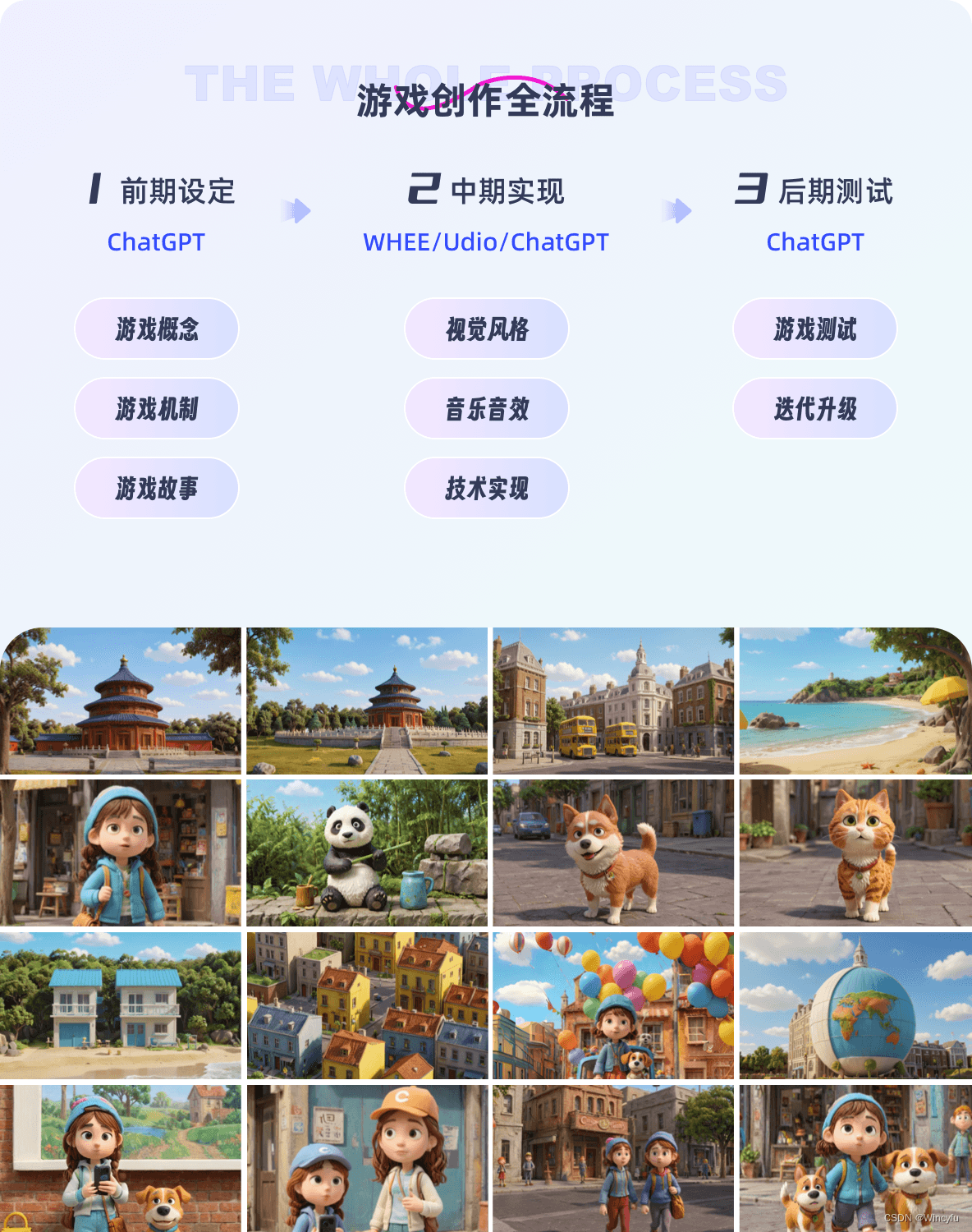
First, I needed a story. Once the broad outline was in place, I could gradually define the gameplay and mechanics. If you do not have a specific idea yet, GPT can help develop one.
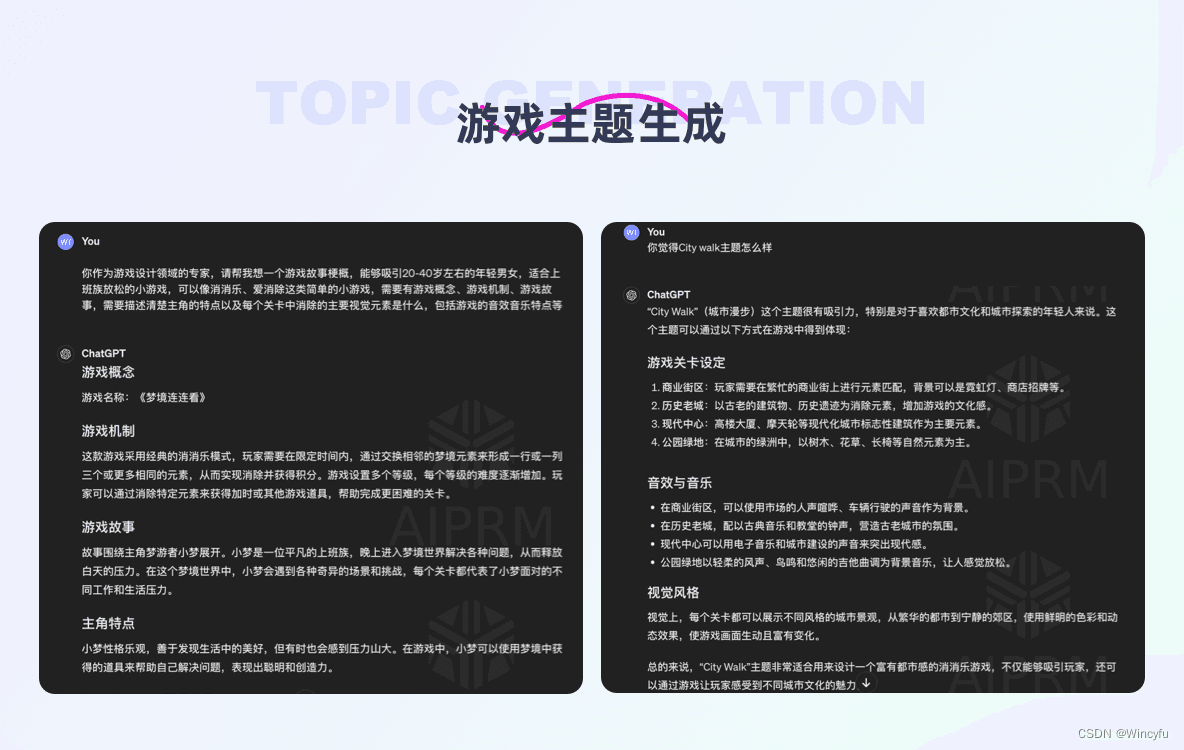
I chose “City Walk” as the theme. Because I wanted to try the coding stage, I selected a tile-matching game, a relatively approachable format to implement.
Using an established tile-matching format meant I did not need to invent new mechanics. GPT helped me establish the concept, mechanics, and story during planning.
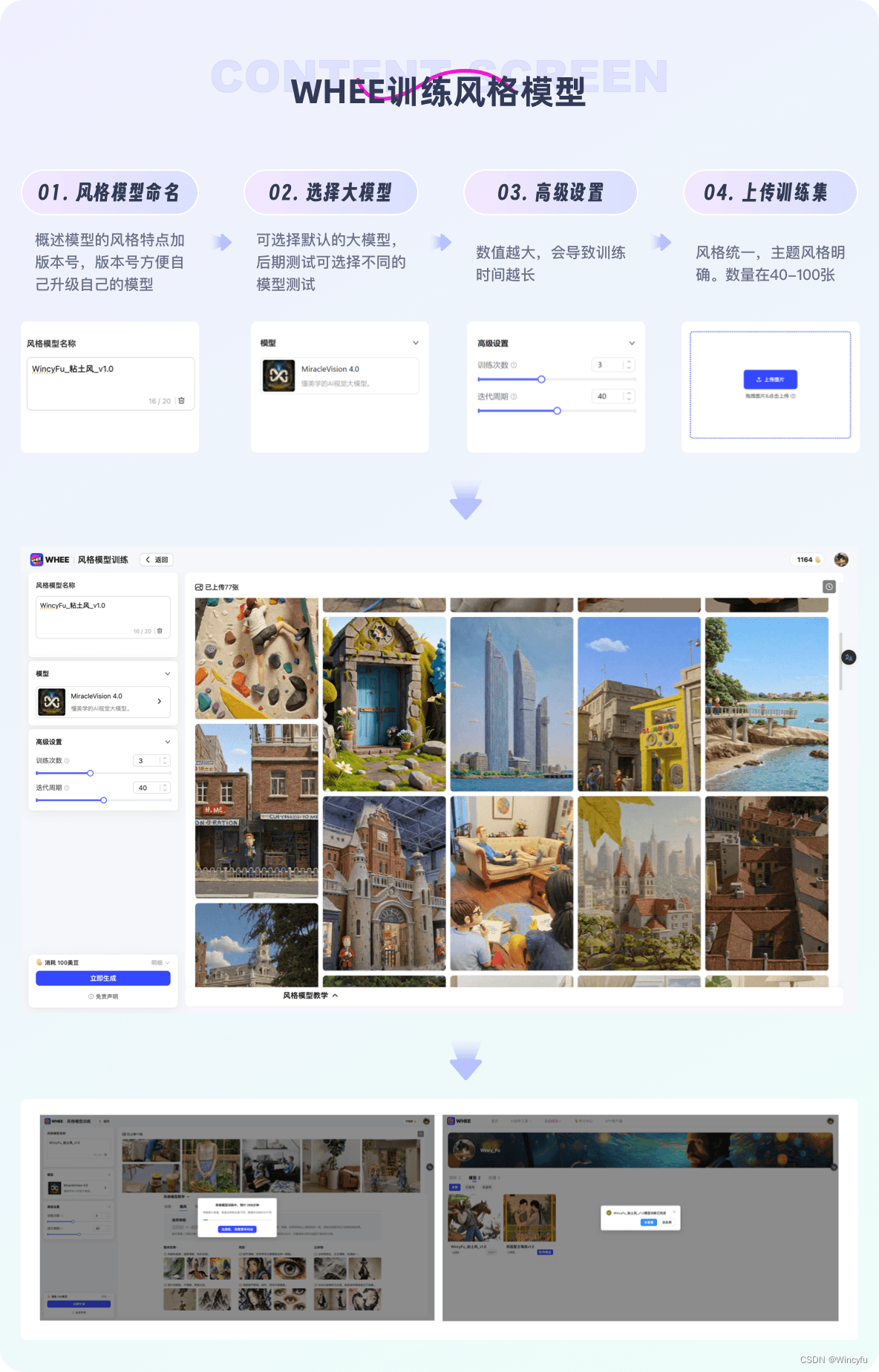
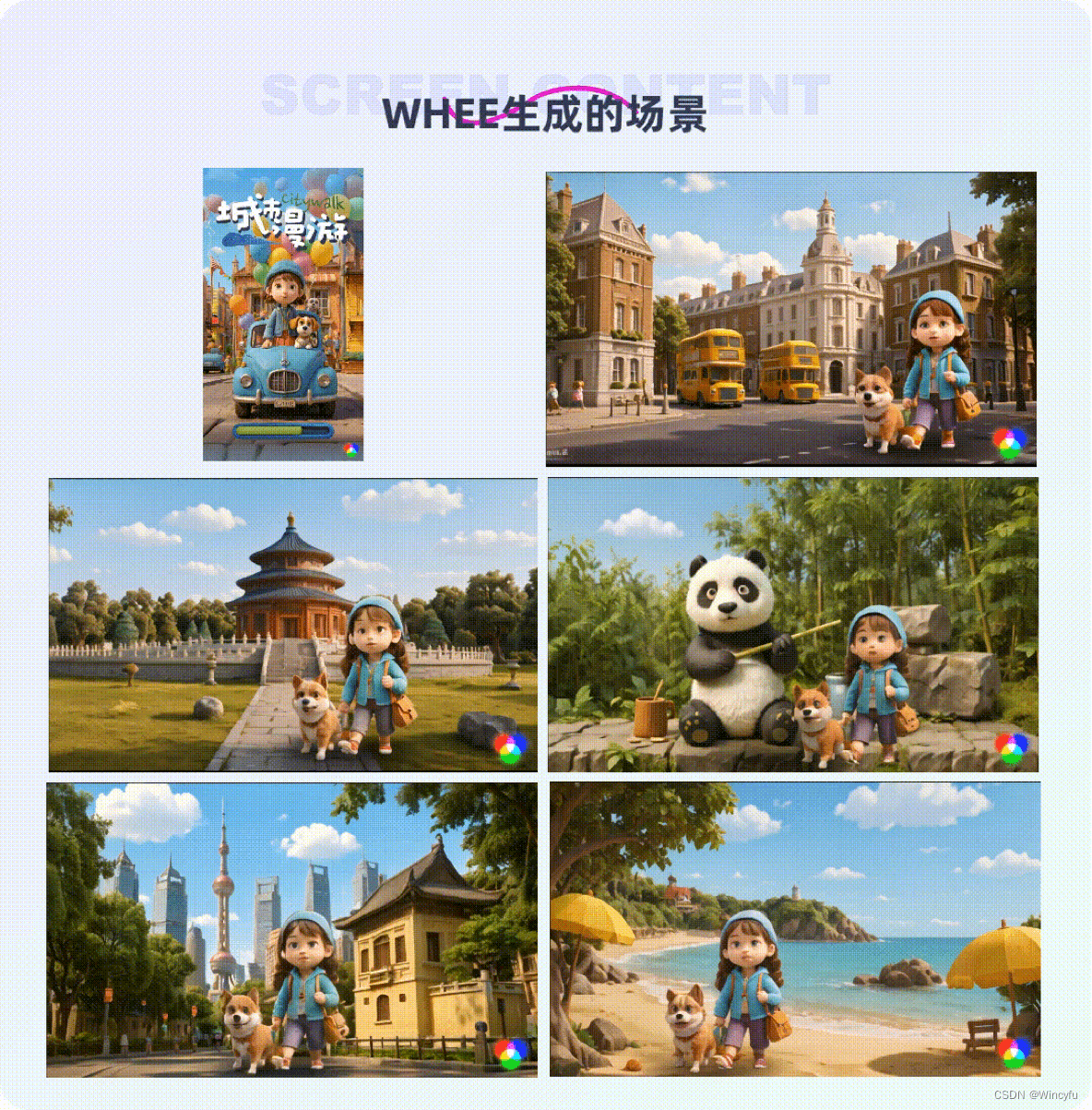
GPT helped develop the game’s content, while WHEE handled the visuals. I generated different looks in WHEE, selected the style that fitted best, and used it for the remaining elements. I used Udio for music and sound, and GPT also helped with the code.
I wanted to try the clay-like visual style that was popular at the time, so I trained a clay-style model and published it on WHEE. There is a link at the end of the article if you would like to try it.
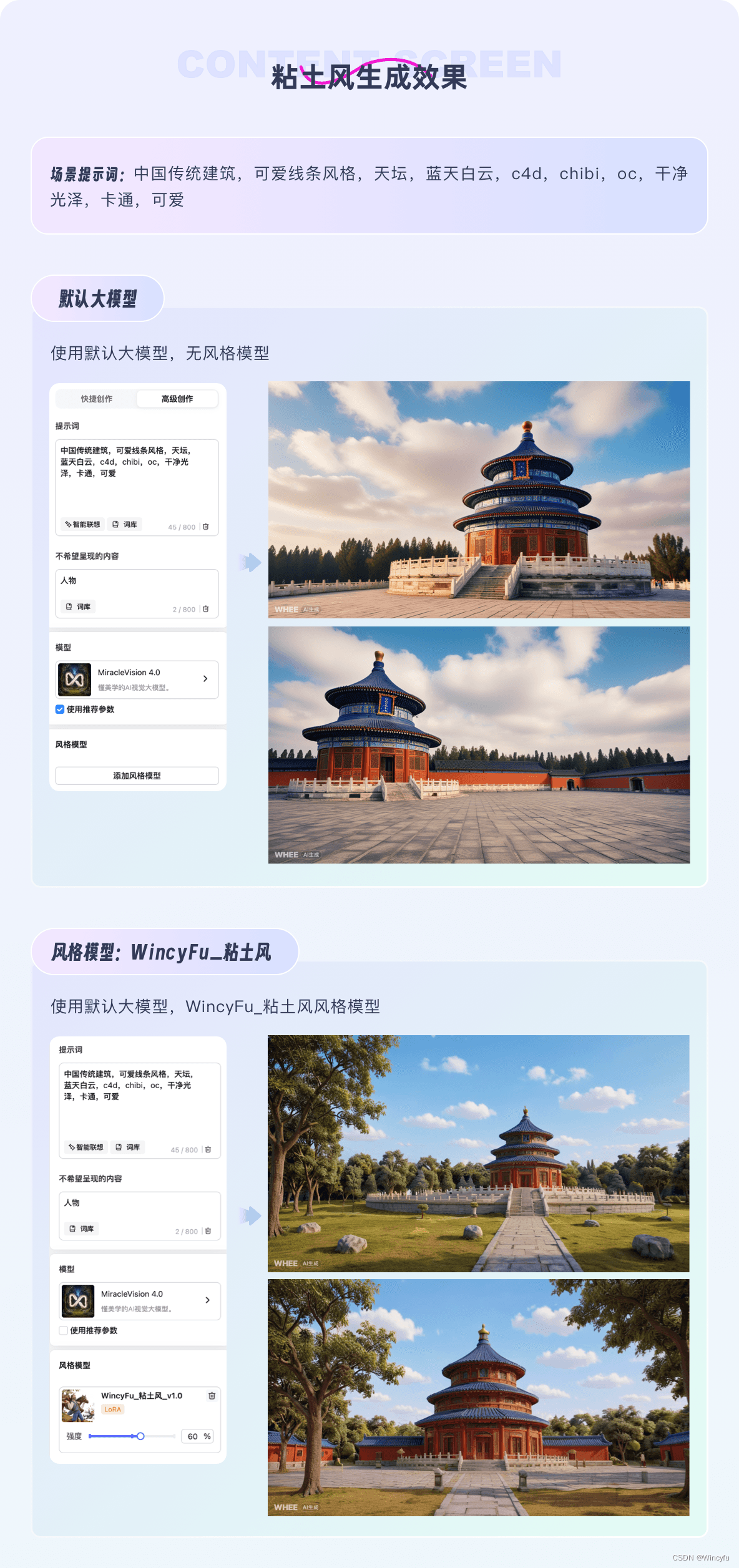
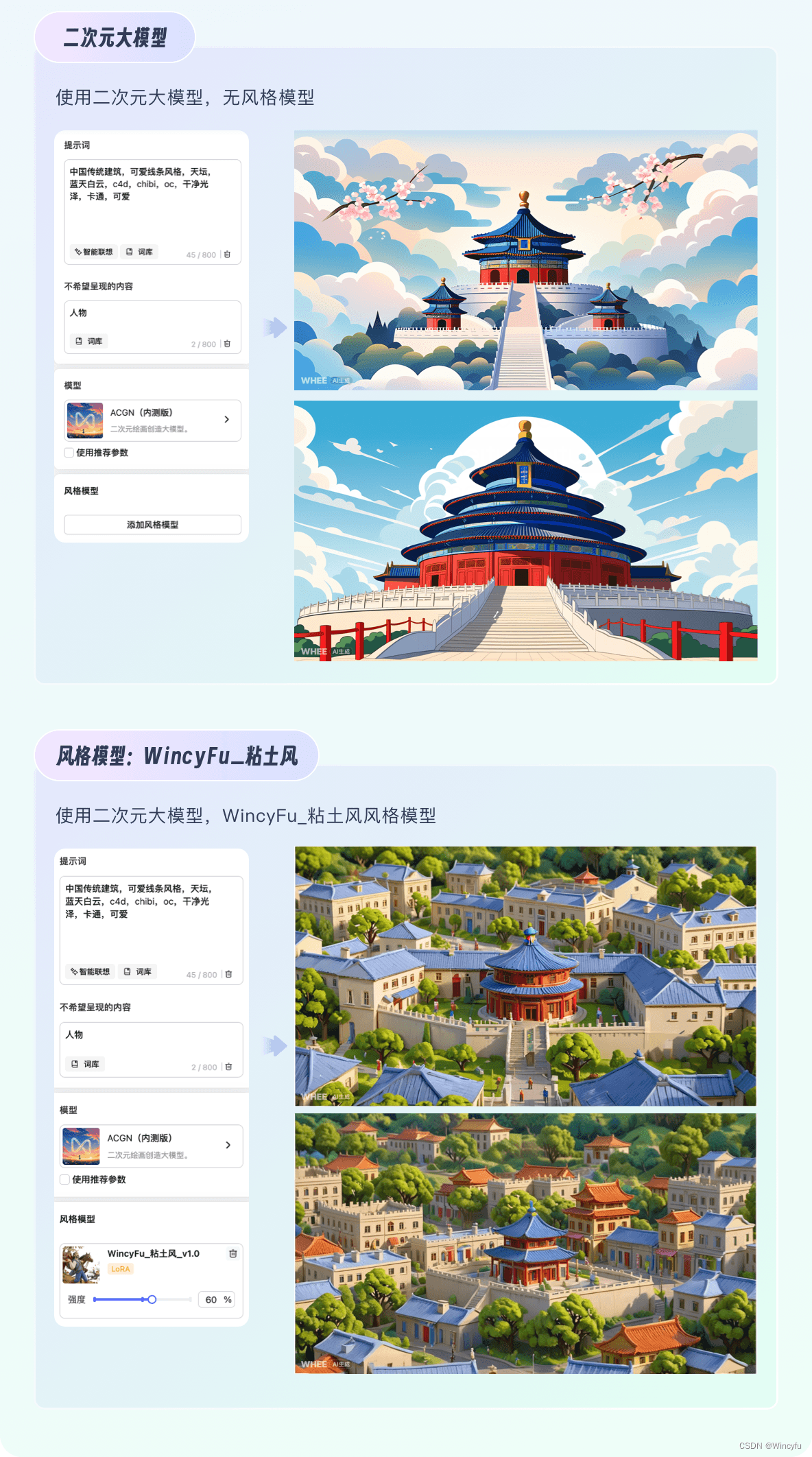
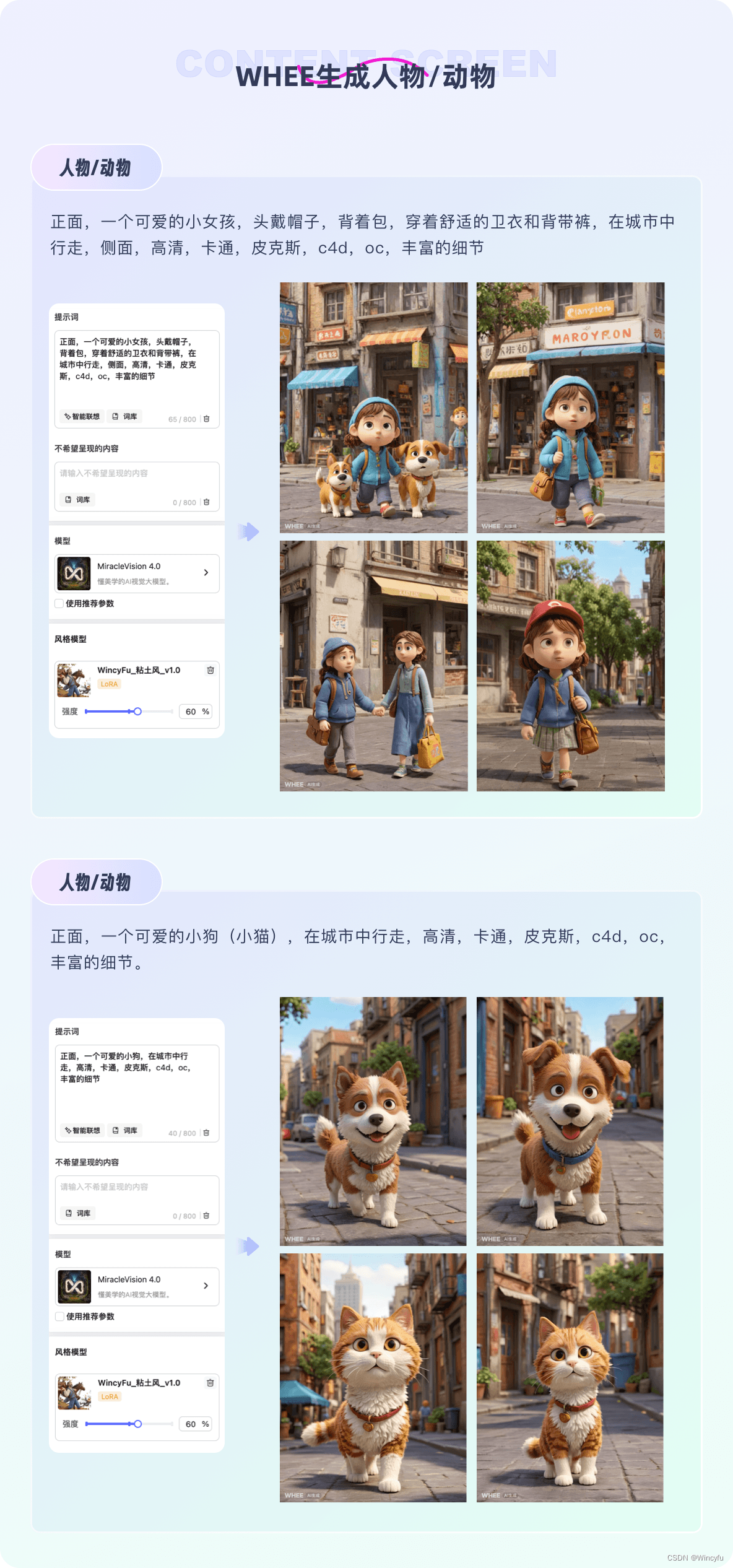
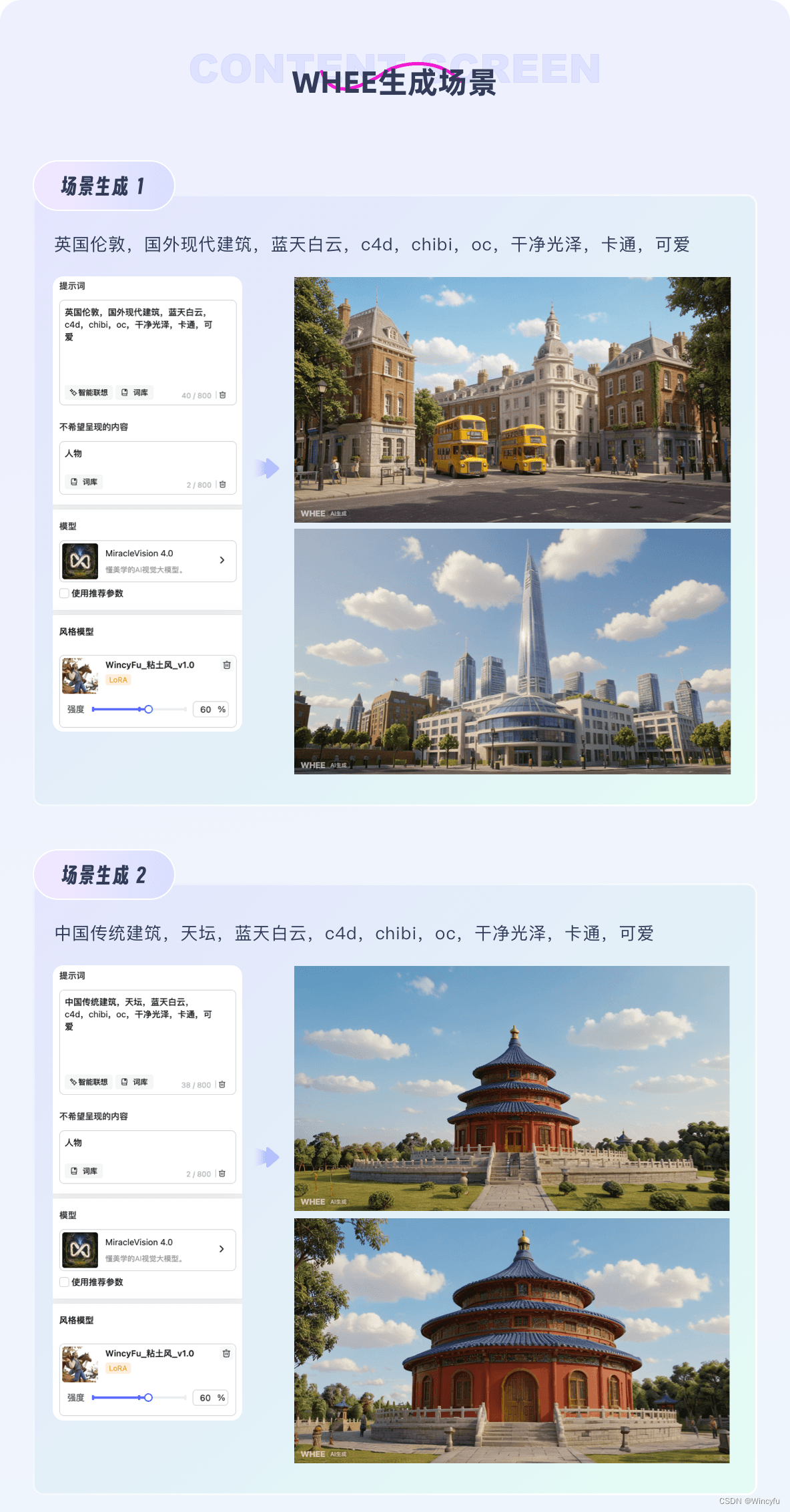
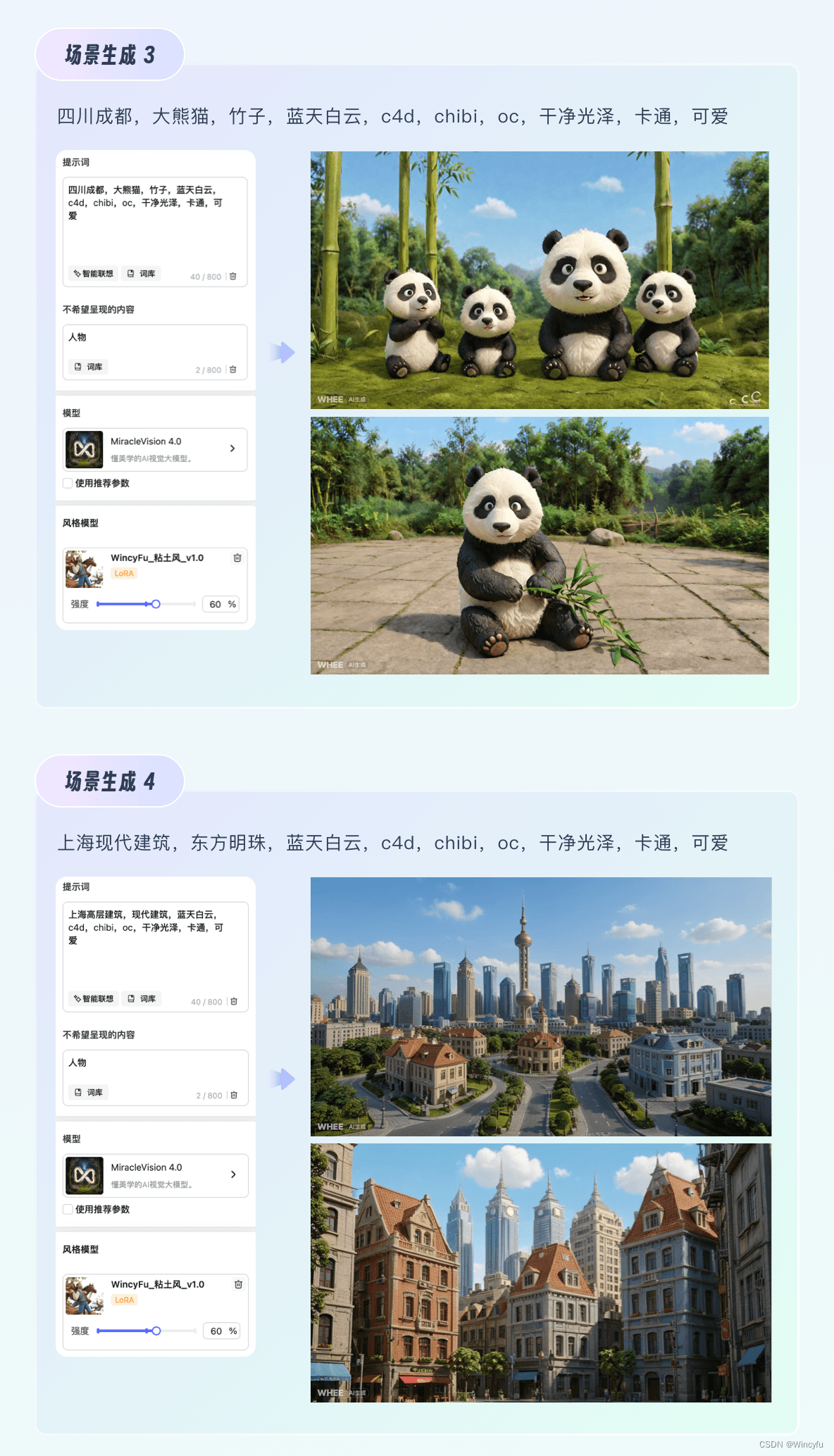
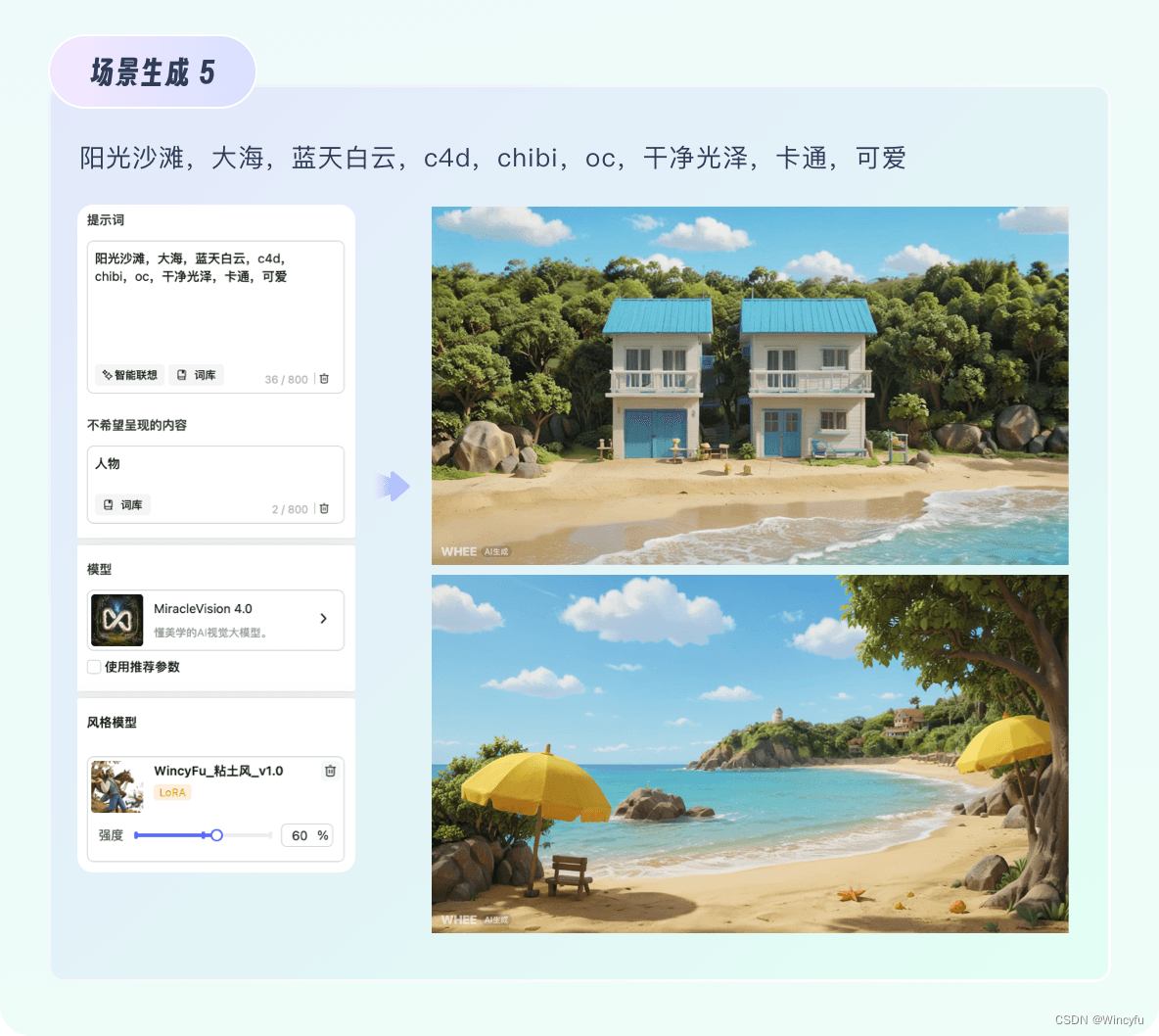
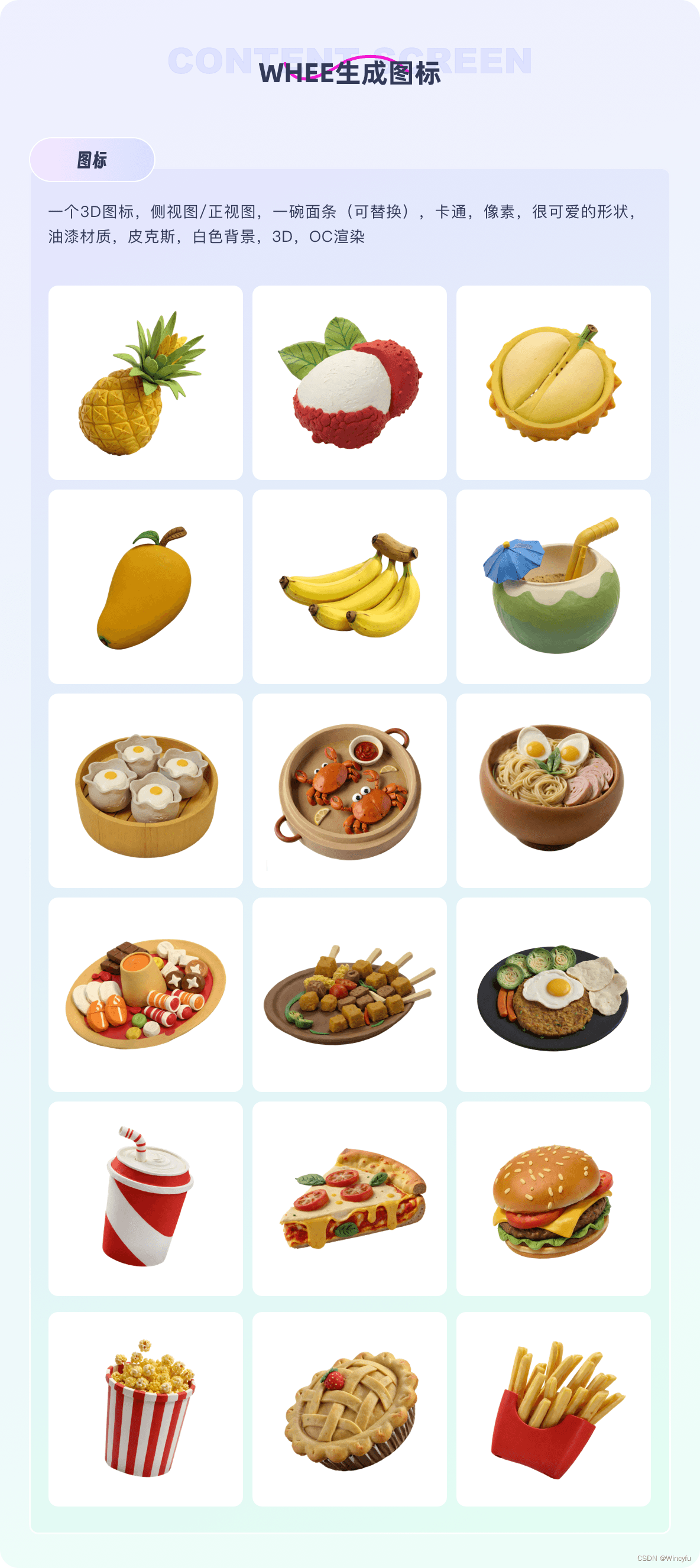
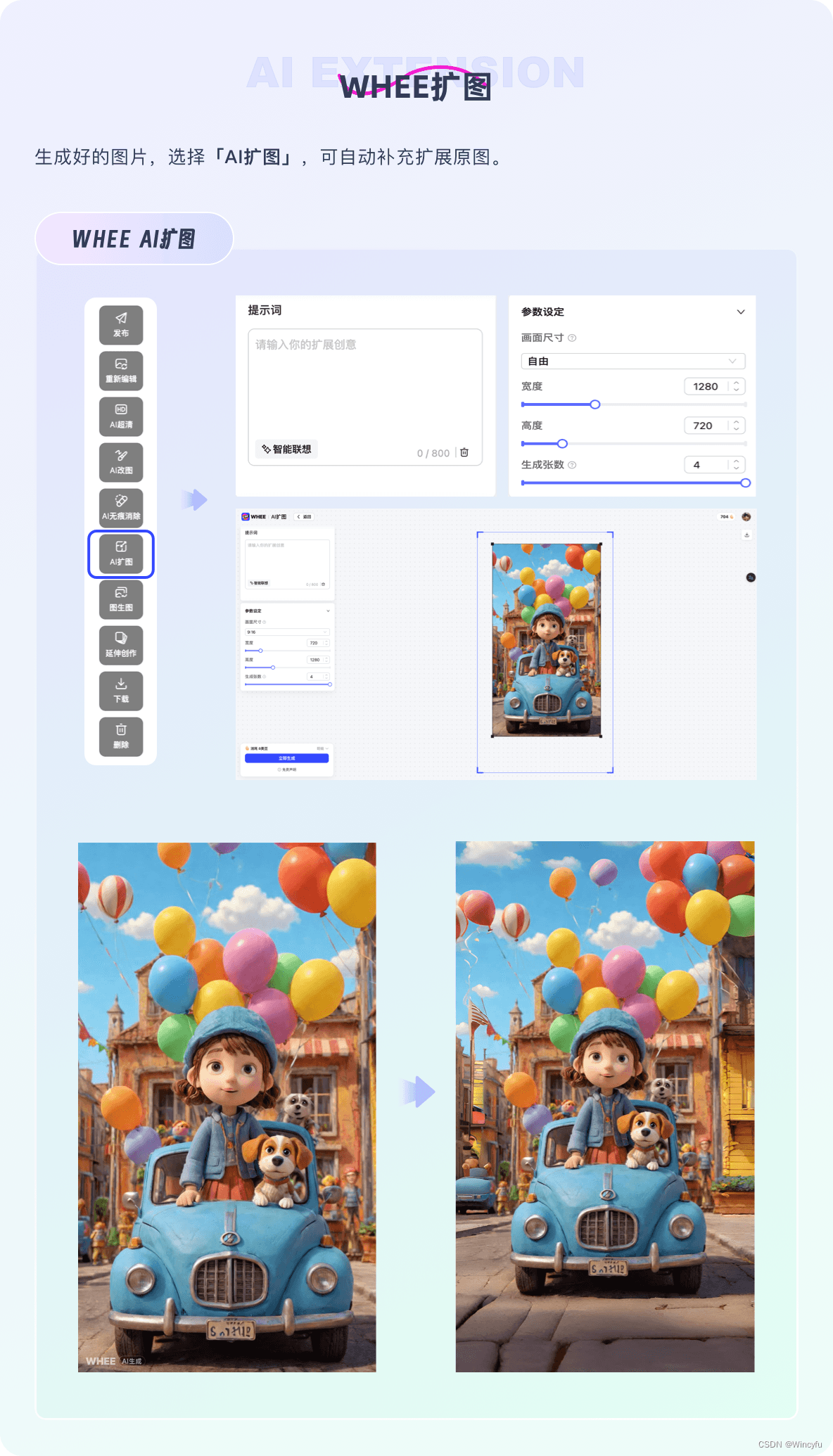
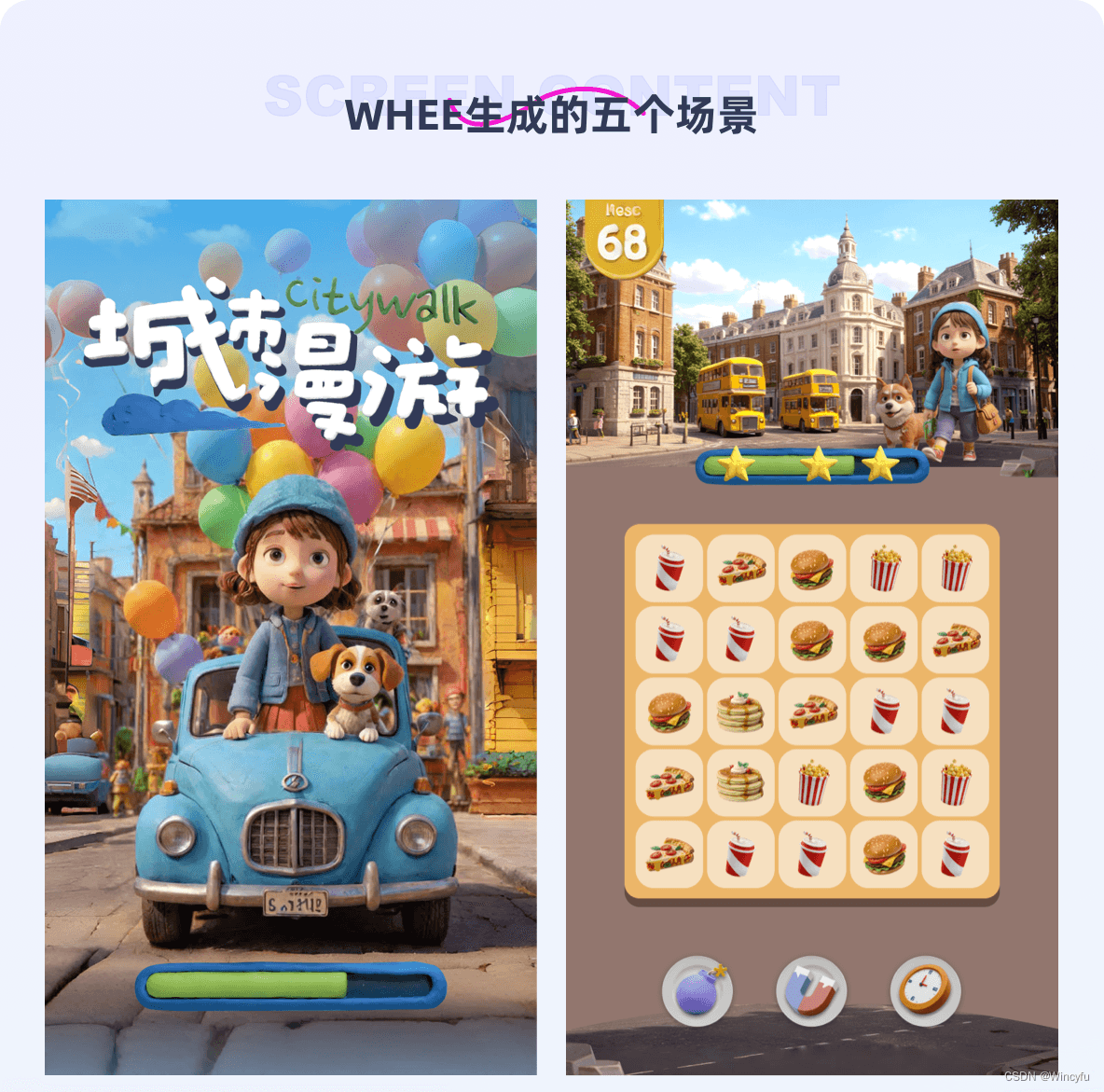
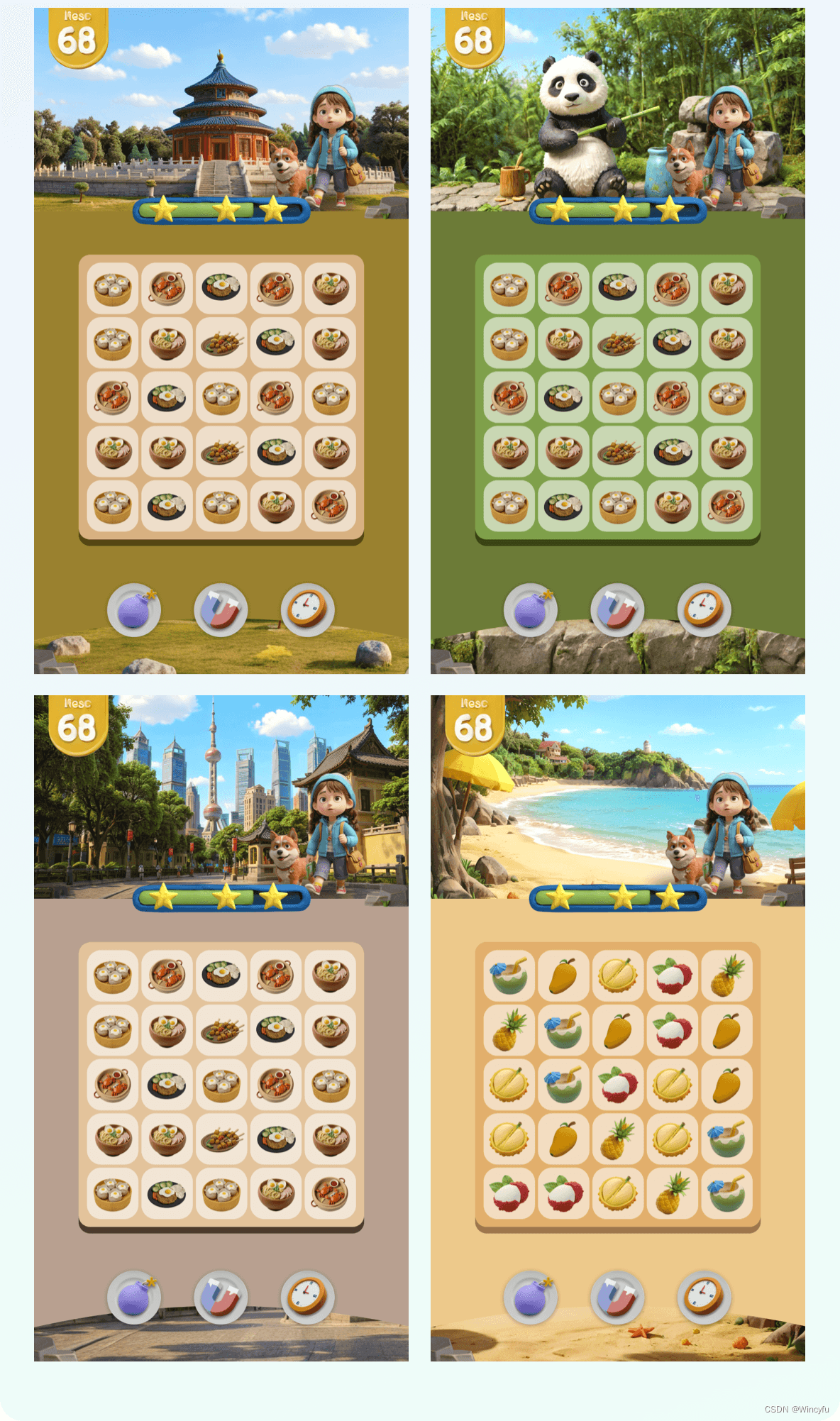
I arranged the generated background, title, and icons into a UI mockup.
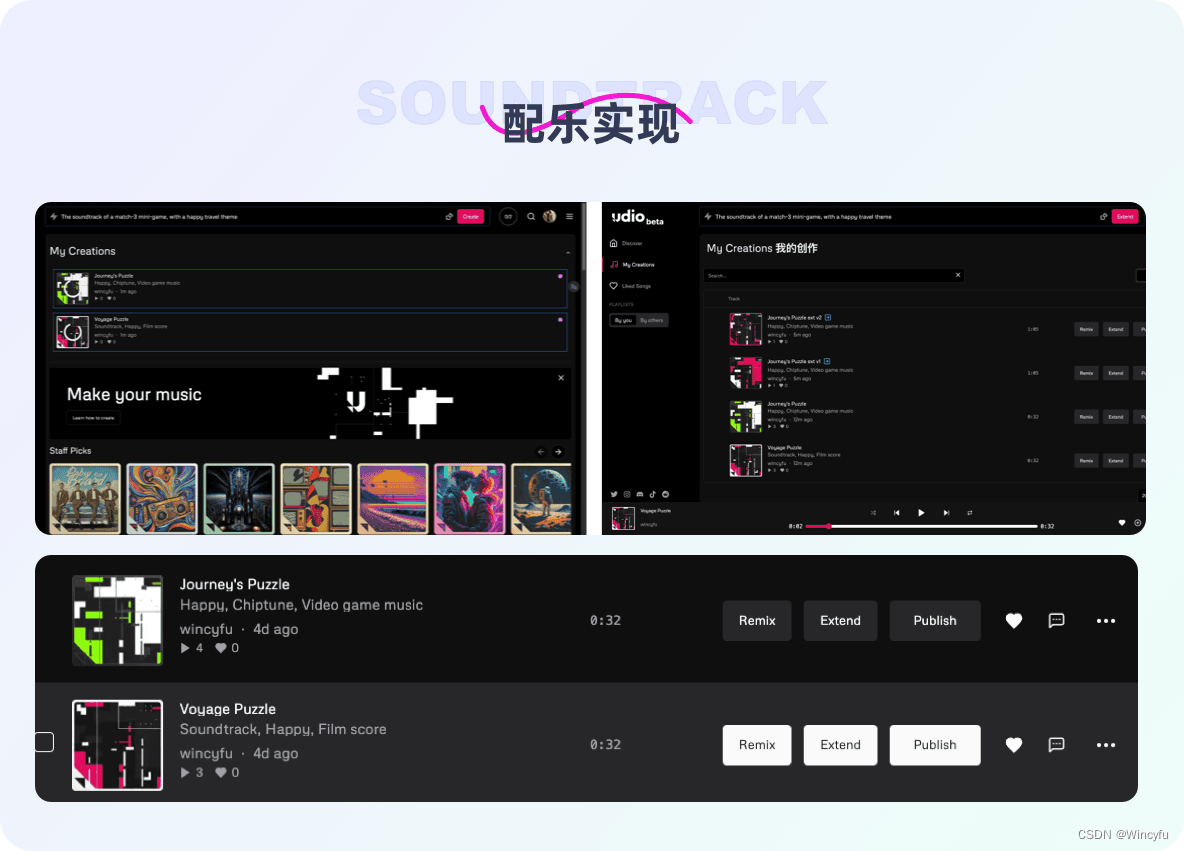
Music and Sound Effects
I used Udio for the music and sound. A single-sentence prompt could generate a 30-second piece, which I could then extend to about a minute in the same style.
GPT helped with all the code. I could only understand some CSS, so I chose a custom GPT called “Code Master.” It provided detailed guidance, from installing a code editor to creating the project files.
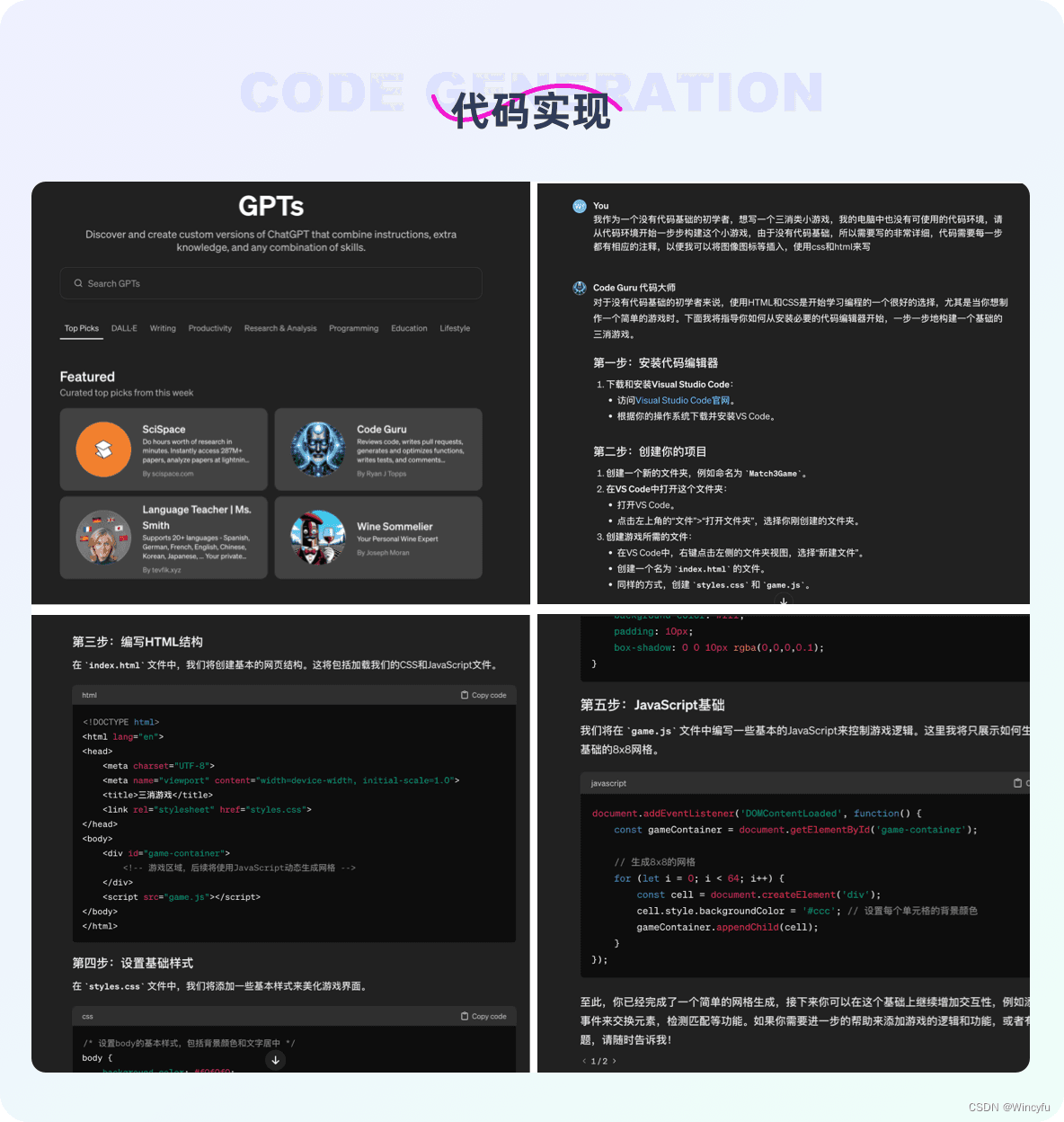
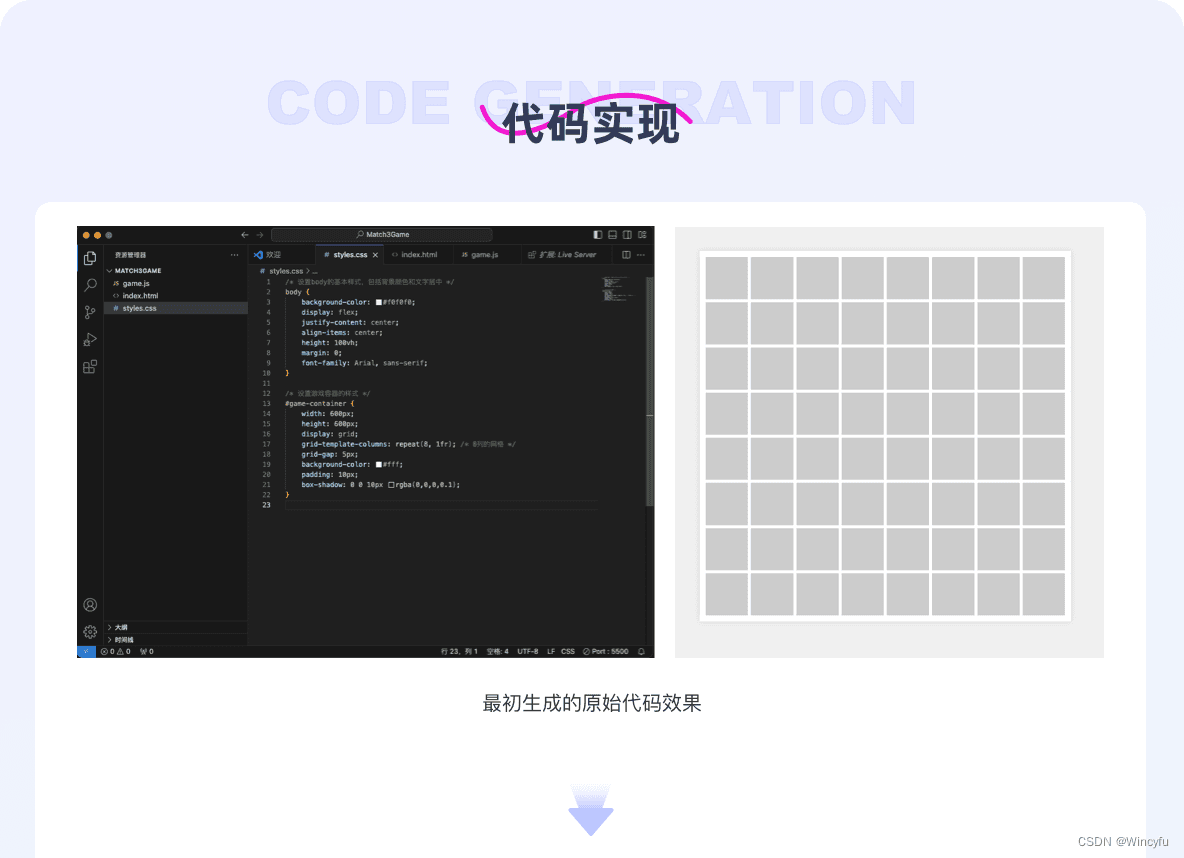
I copied GPT’s code to build the first version, then replaced the placeholders with the generated backgrounds and icons. Repeated conversations and debugging gradually produced the initial interface. With limited time and coding knowledge, I have so far completed only a static frontend layout. The logic required for a playable game still needs to be developed step by step with GPT, including the relevant functions and JavaScript changes. As someone with almost no coding background, I was already pleased to create a static page simply by describing what I wanted.
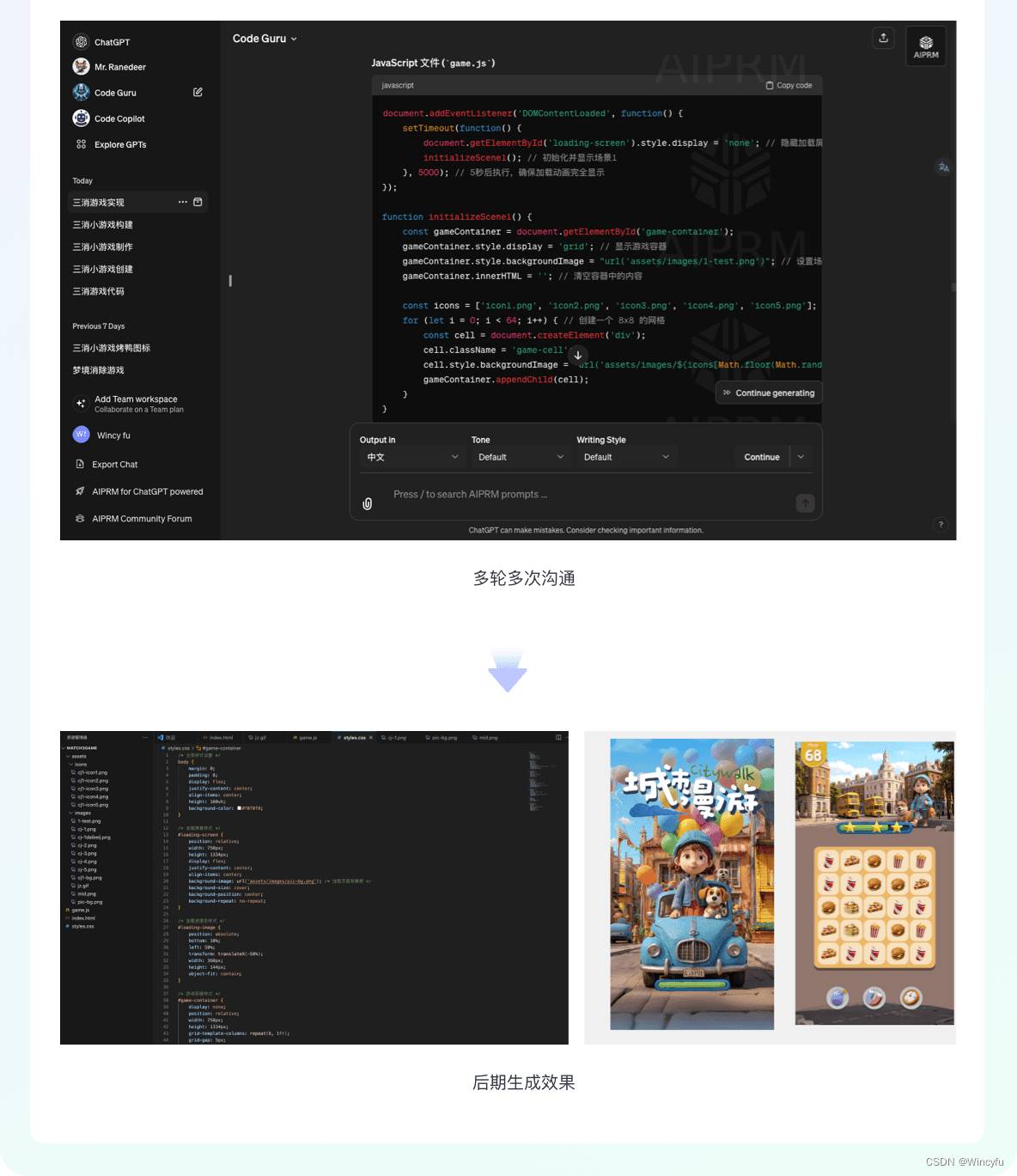
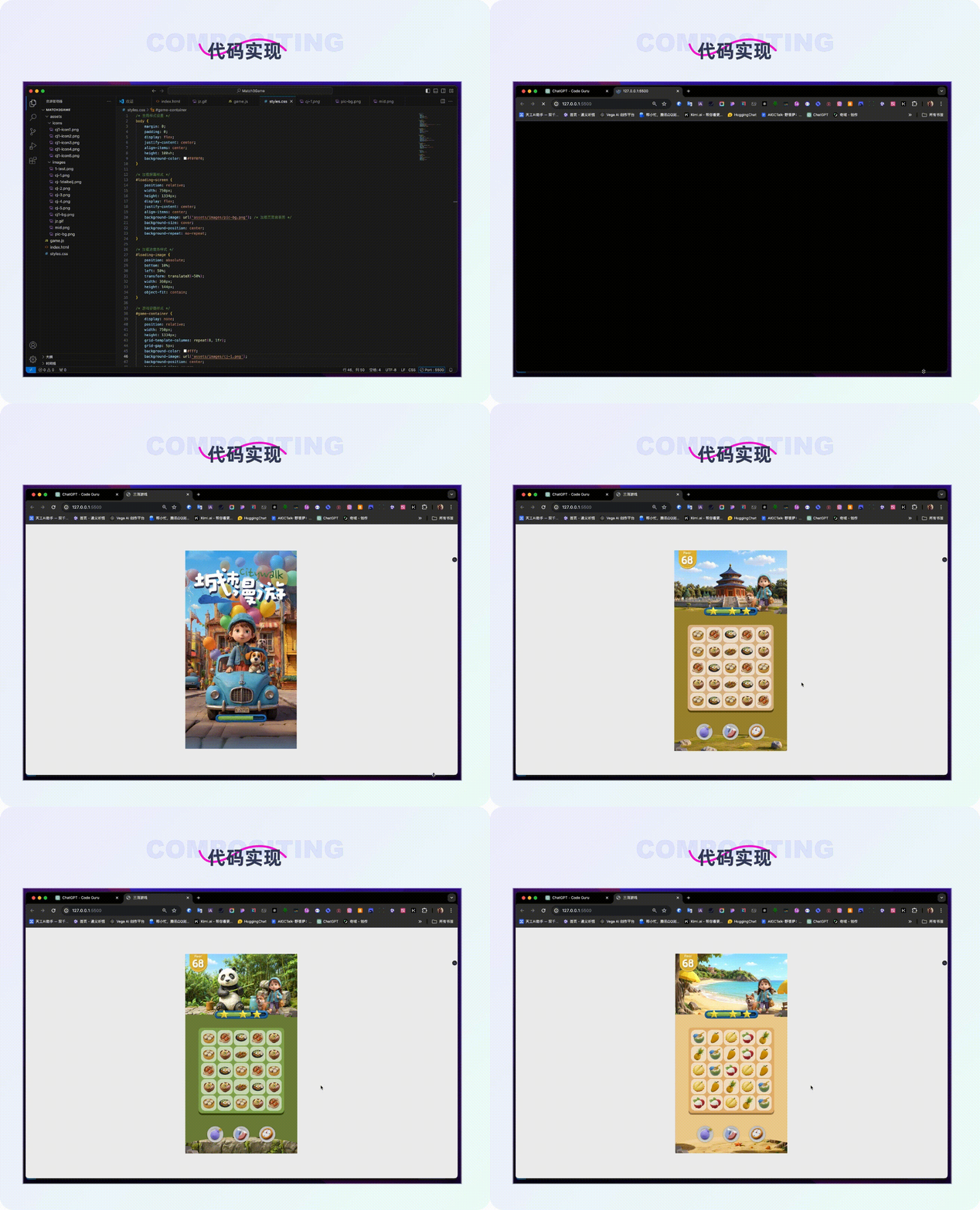
GPT also helped with testing. I sent it errors from the webpage to resolve. Later, I found it easier to paste in my code, ask it to identify and fix the problems, and have it return a complete revised version. That worked better for a coding beginner like me.
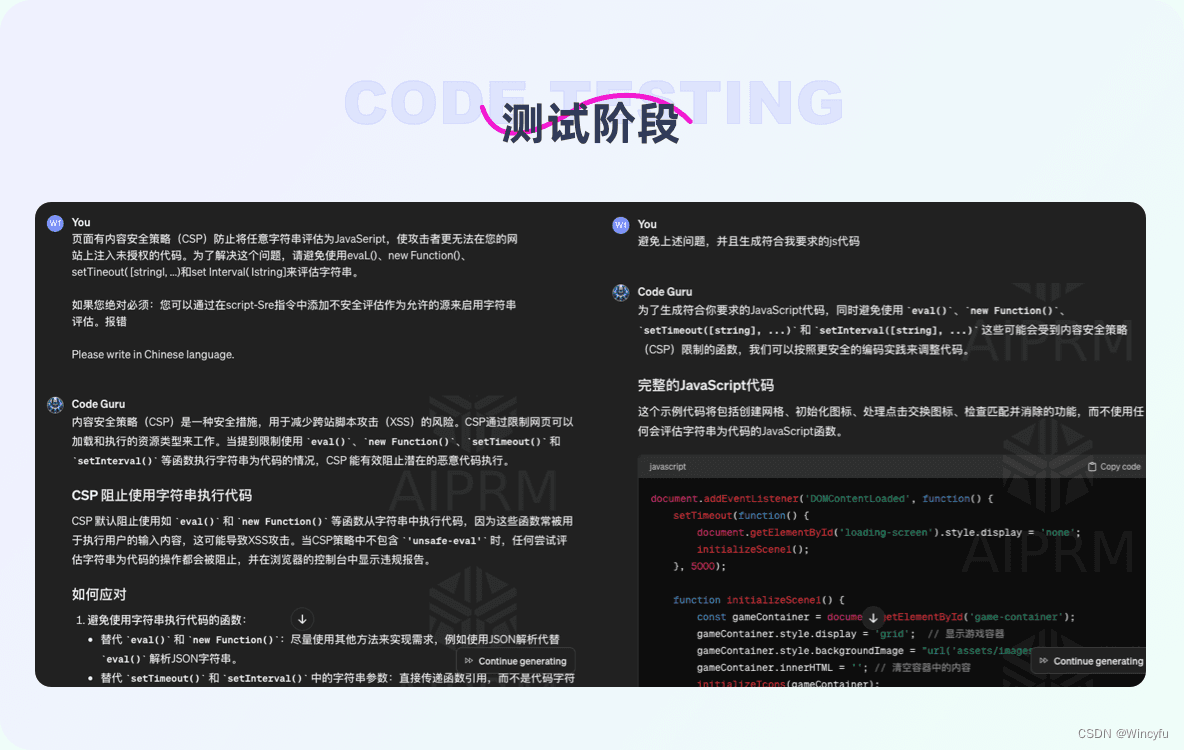
This was a small personal experiment. The visuals and implementation are still rough, and the code currently produces only a simple static frontend page. The full gameplay logic has not been implemented; it needs more research, debugging, and gradual revision. Proper game development requires a more rigorous process. Despite repeated attempts, deleted and rewritten code, and errors I did not understand, I learned a great deal. I plan to keep exploring games and refining this project.
I hope this experiment helps others see useful possibilities for AI: learning about unfamiliar fields, understanding a complete workflow, and making the idea of “one person plus AI equals a team” a little more achievable.
The Clay-Style Model Is Available
https://www.whee.com/art?id=8302&taskCategory=model&entryType=1
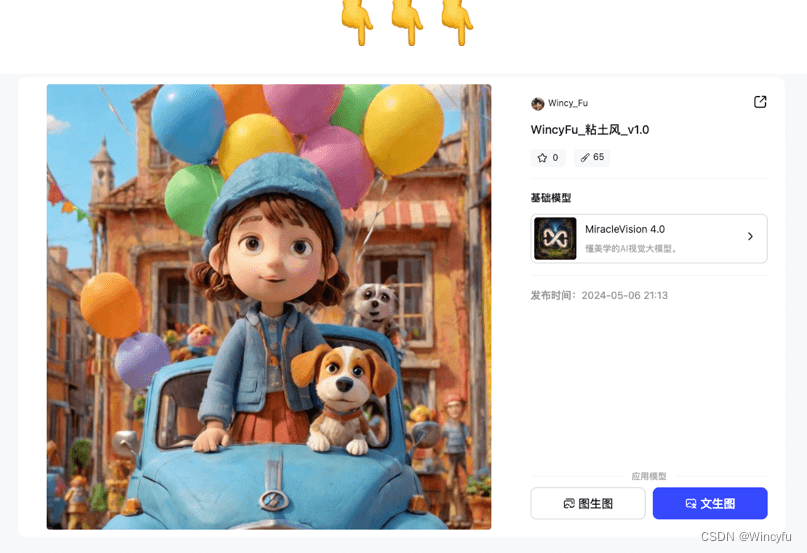
Recreate the Images Used in This Article
https://www.whee.com/art?id=bef36bf3ea98ab5bad679f6a55100ab4-2097&taskCategory=txt2img&entryType=1