
- AIGC tutorial
- AIGC
- Short Drama
- Video Creation
Exploring the Full AI-Assisted Short-Drama Creation Workflow
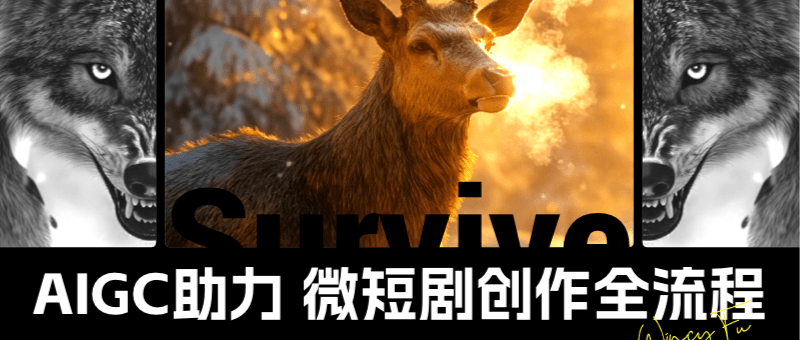
After exploring practical uses of AI in several fields, I wanted to try more ideas in video creation. This article documents an experiment in AI-assisted short-drama production and offers a starting point for other creators.
Introduction
In my previous articles, I explored practical uses of AI in several fields. Video creation left me with plenty of ideas I wanted to try, which led to this article. Here, I experiment with using AI to make a short drama, hoping to offer a starting point for other creators.
First, here is the finished film.
I. Creative Ingredients
A short drama uses much the same ingredients as my earlier AI video projects, but demands more from the story and visual storytelling. Achieving a cinematic feel is harder still. With each experiment, I hope to improve a little and move away from the feeling of a slide presentation.
This short drama may differ from what people usually associate with the format. I set aside humour and made a story about survival, centred on a stag, wolves, and people. The main challenge was keeping several characters consistent. For the animals I chose, consistency was somewhat easier to achieve than for human characters. I started with a rough idea, then used a large language model to develop the script and shot breakdown.
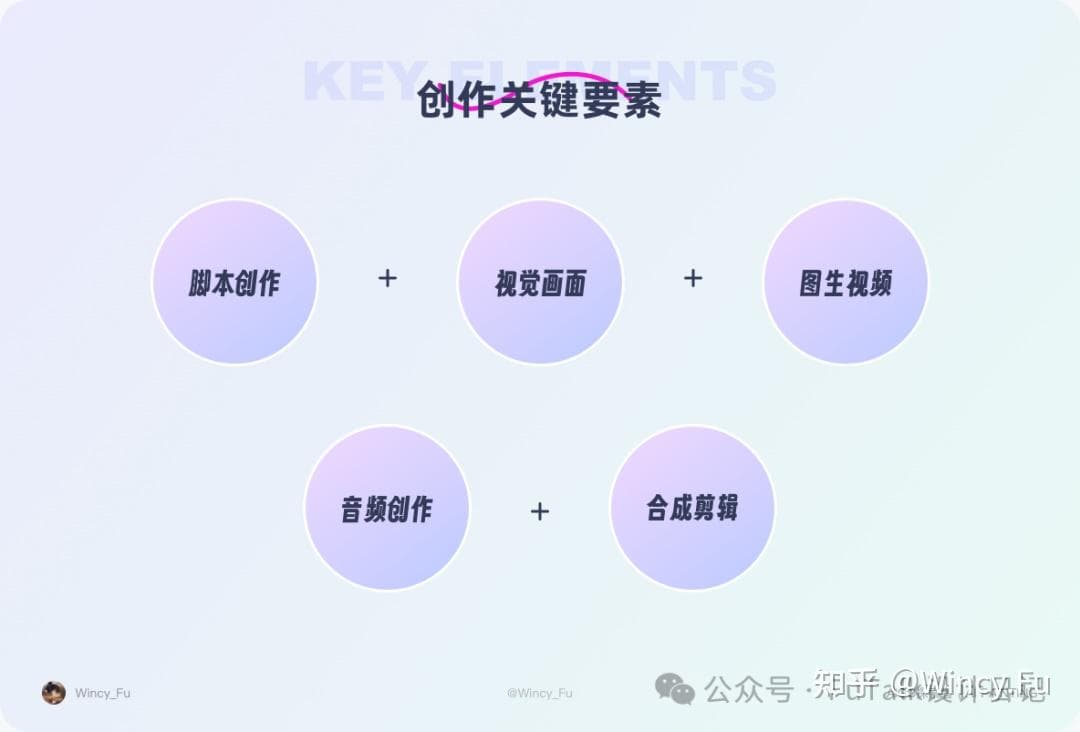
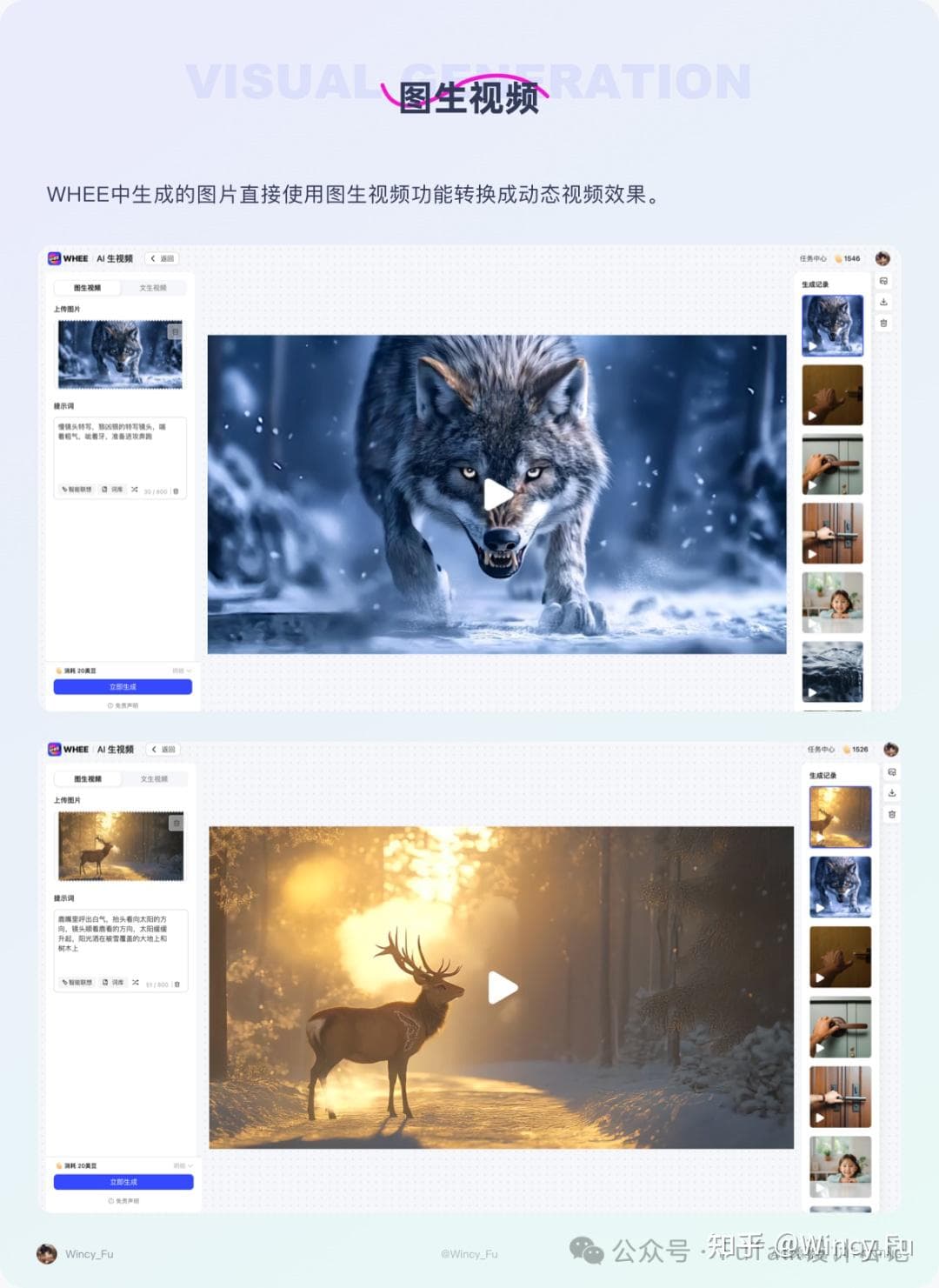
As with other AI video projects, the main elements are scriptwriting, visual development, image-to-video generation, audio creation, and post-production. These form the basic workflow.
II. Planning and Preparation
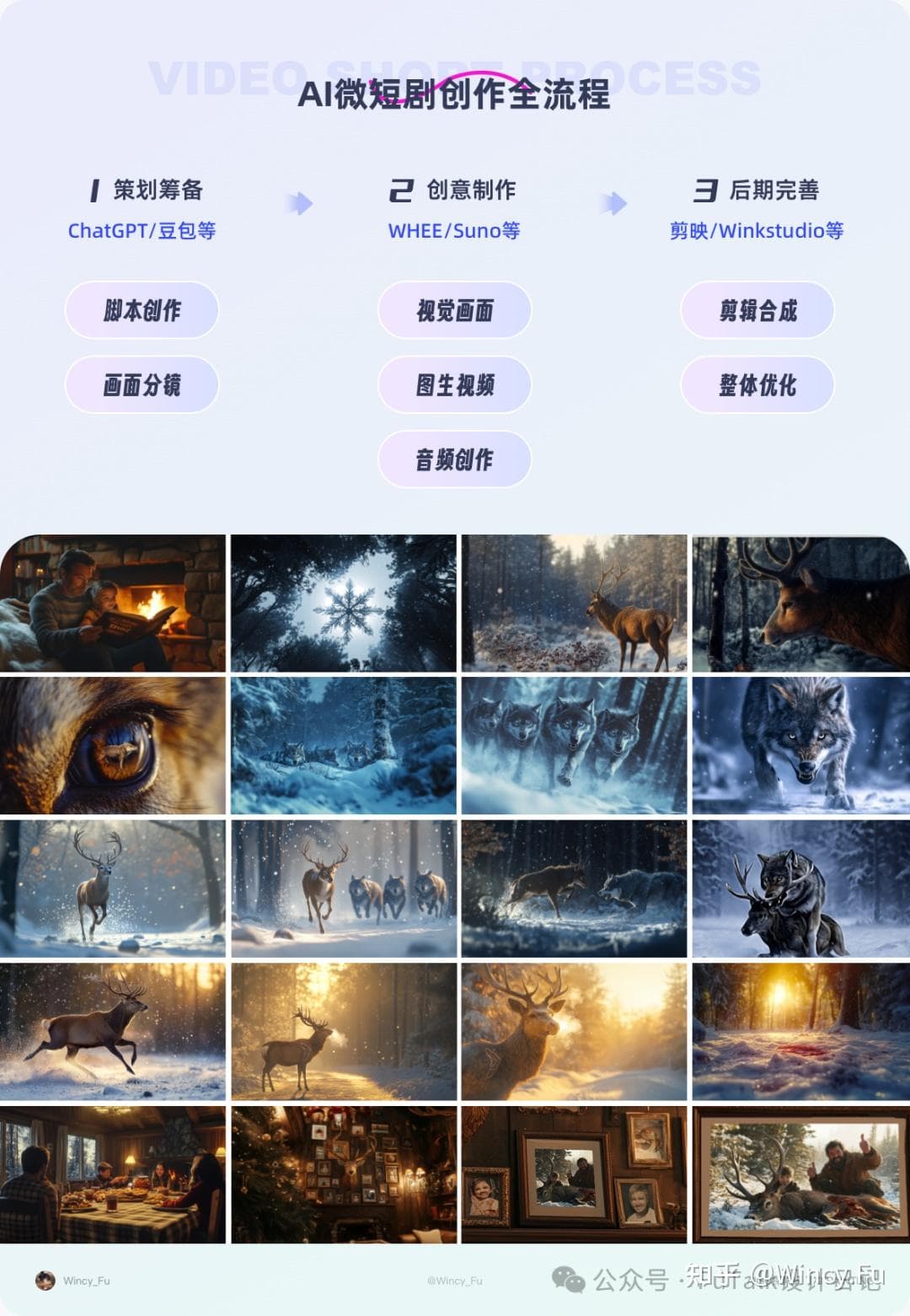
The story explores survival through a stag, wolves, and people. On a snowy winter morning, a stag struggles to find food and begins eating berries. It spots wolves in the distance preparing to attack and flees through the forest, with the pack close behind. After a fierce struggle, it finally escapes. Just as it seems safe, a gunshot rings out. In the last scene, a family sits together, happily eating dinner. The stag’s head hangs on the wall as a trophy. Beneath it is a photo of a father and son smiling while holding the head. With this outline, I asked GPT or Doubao to develop a creative script, including a shot breakdown. I then revised it to match my intentions and settled on the final story.
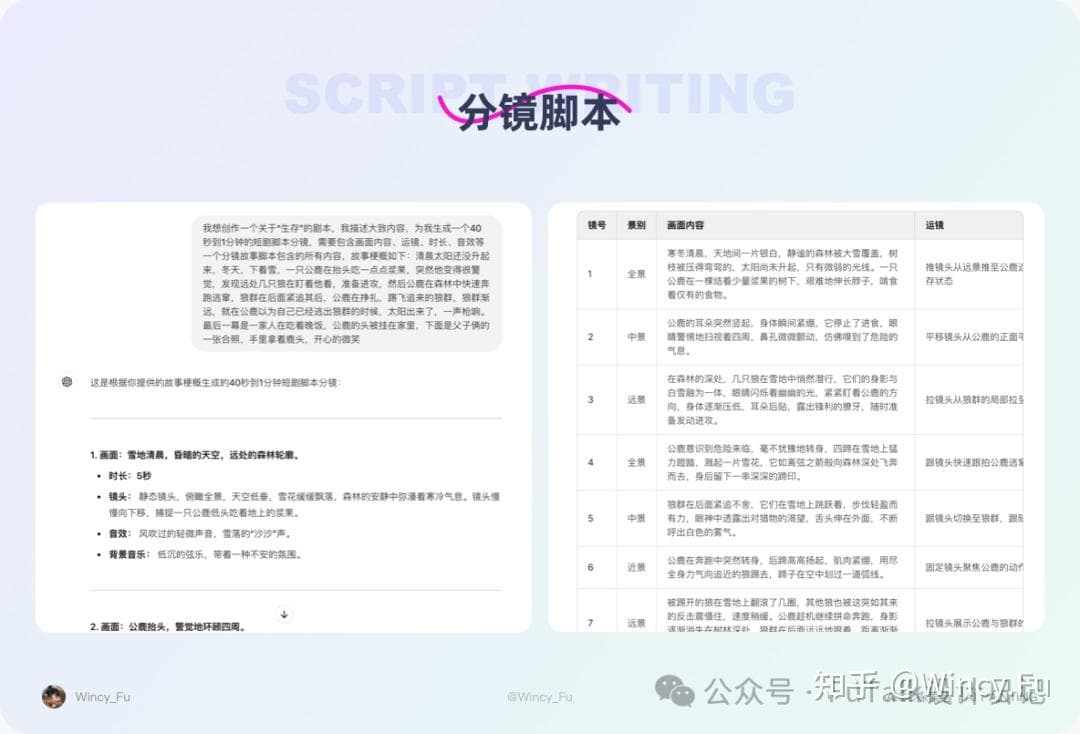
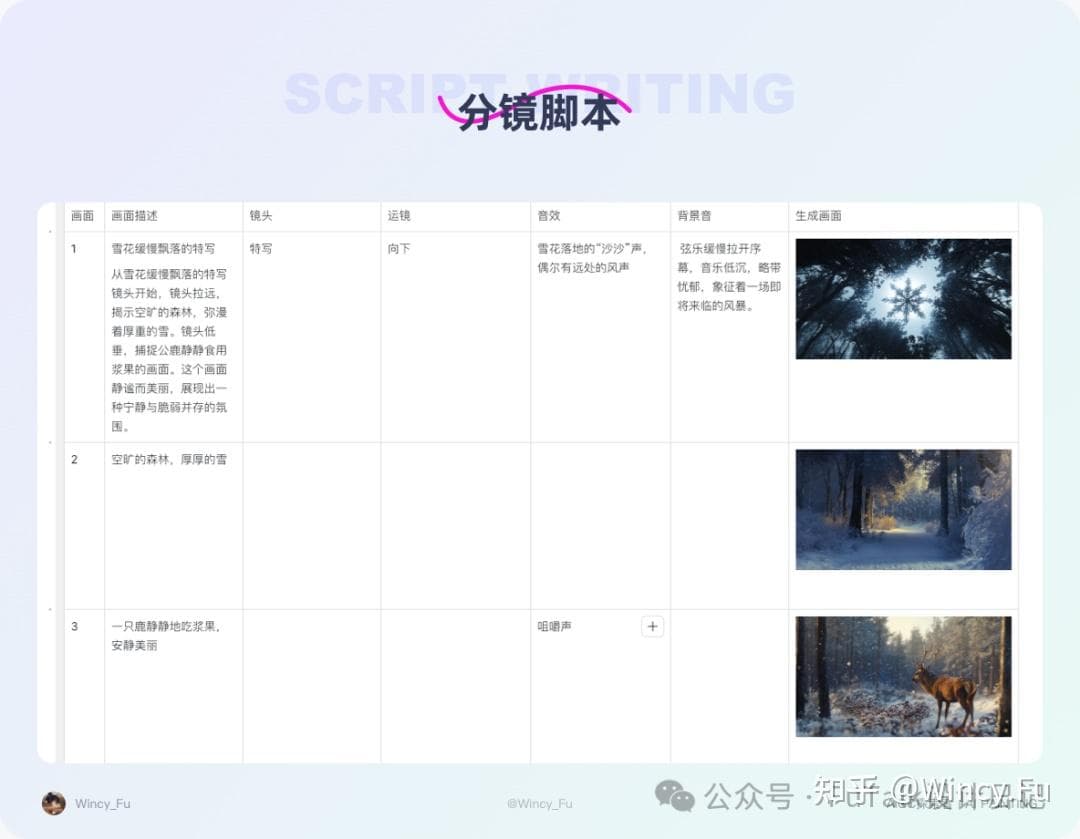
I refined the storyboard table by specifying what appears in each shot, the shot type, camera movement, and sound effects. This made the production plan easier to follow.
III. Creative Production
3.1 Visual Development
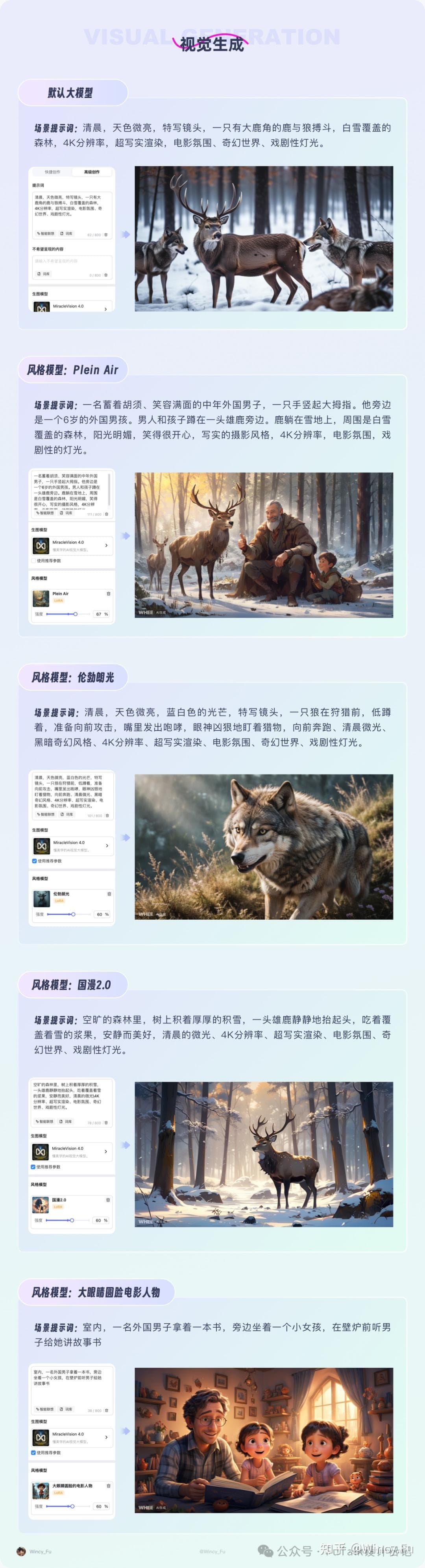
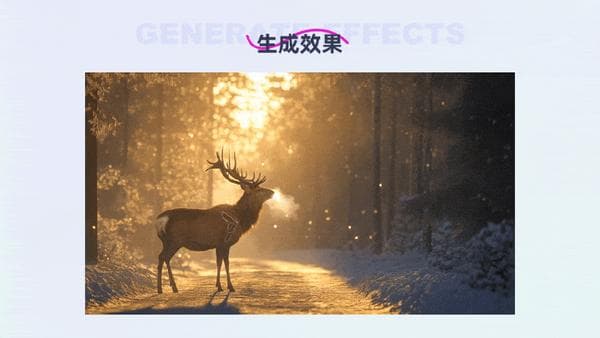
Once the script and storyboard table were ready, I began creating the visuals. I had not yet settled on a style, so I tried several style models before choosing one with a realistic look.
3.2 Background Music and Sound Effects
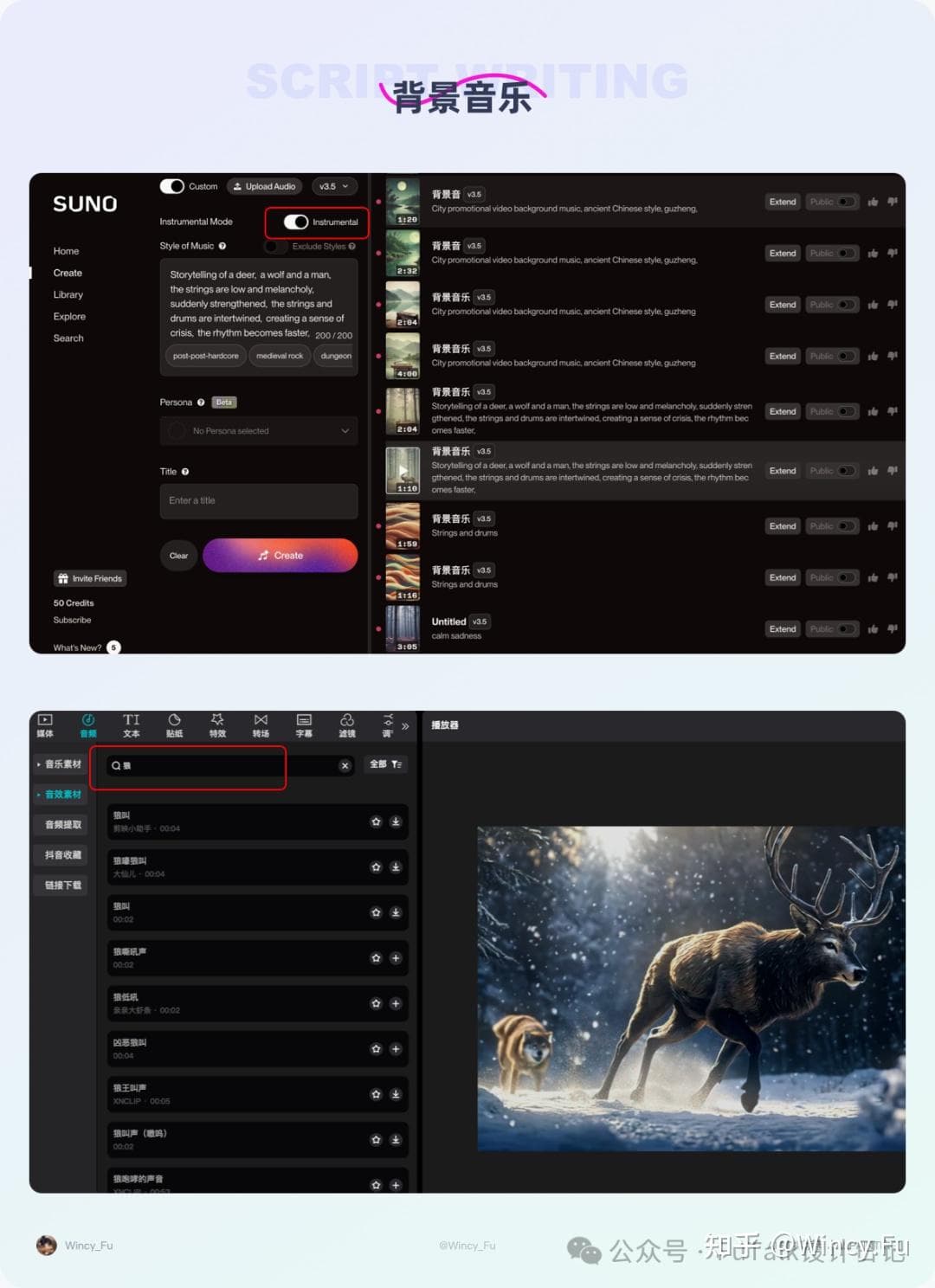
I used Suno to generate the background music. For music without lyrics, enable “Instrumental” and describe what you want to hear. Sound effects can come from audio libraries or be added later in Jianying, the Chinese edition of CapCut. I tried generating music several times, but none of the tracks fitted the entire film perfectly. I edited and combined the generated music in post-production. All the sound effects came directly from Jianying’s library.
IV. Post-production, Integration, and Refinement
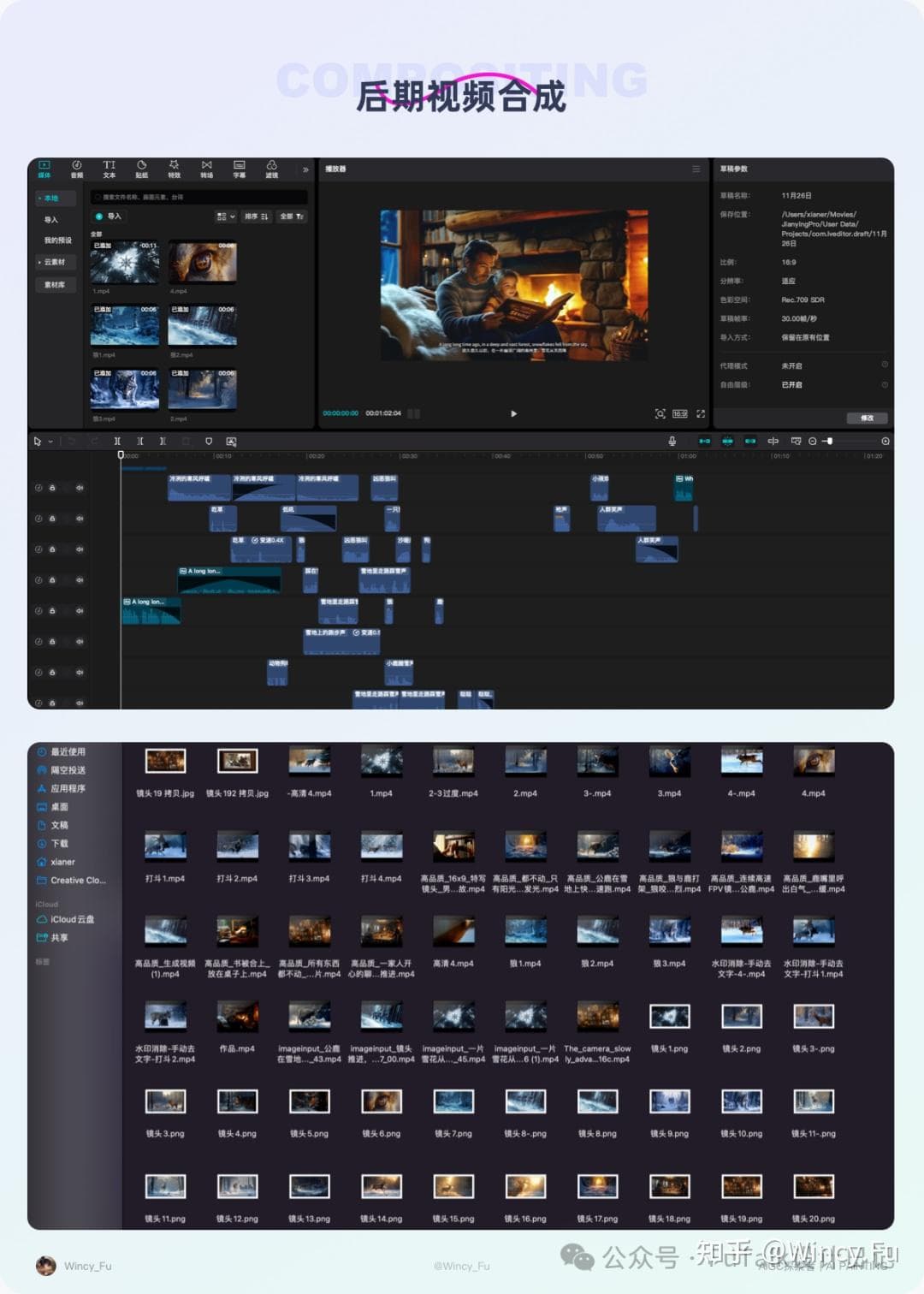
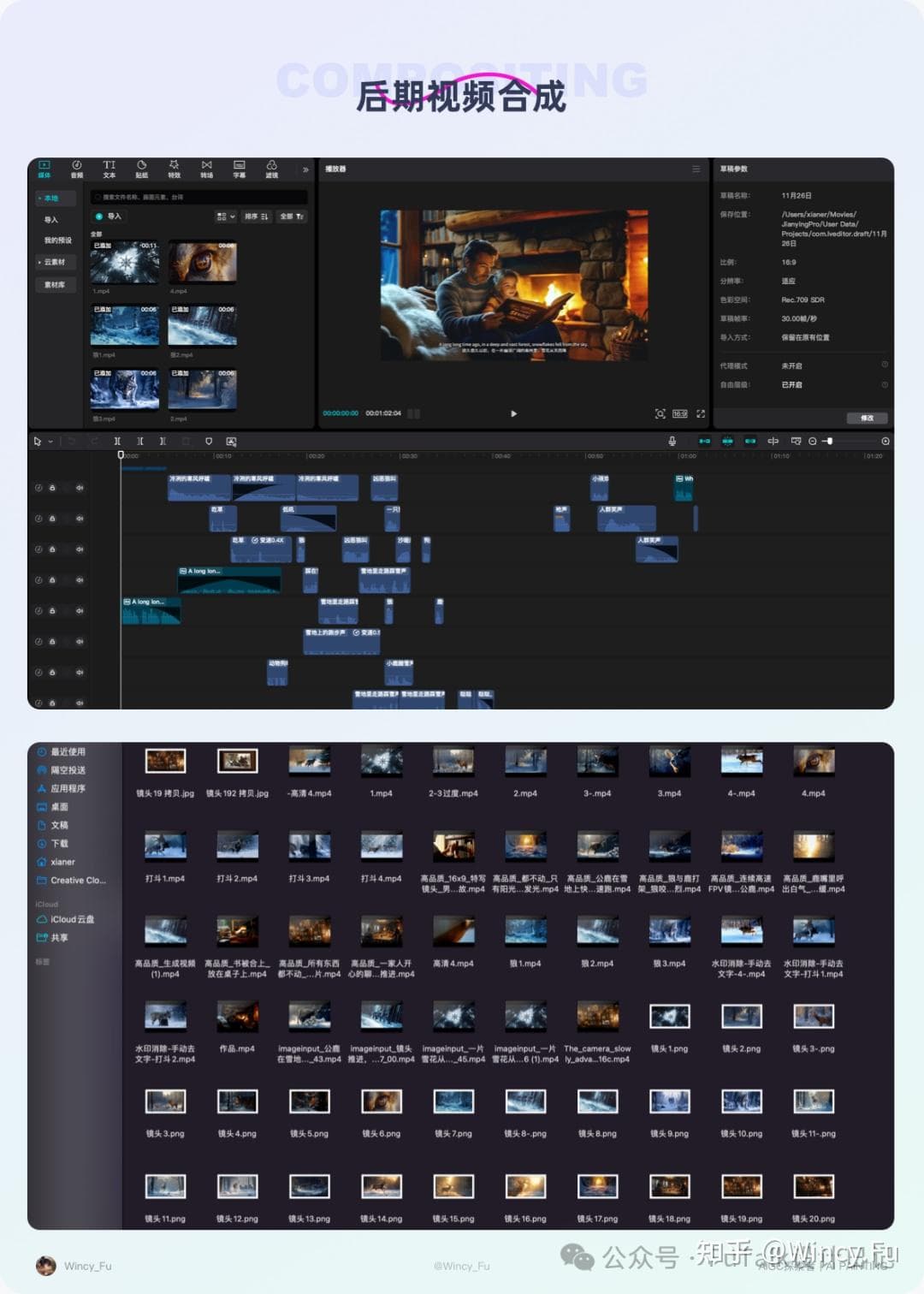
I followed the storyboard table during production, importing the generated visuals and background audio into a video editor. Editing, sequencing, and adding effects helped the film flow naturally and develop a sense of rhythm.
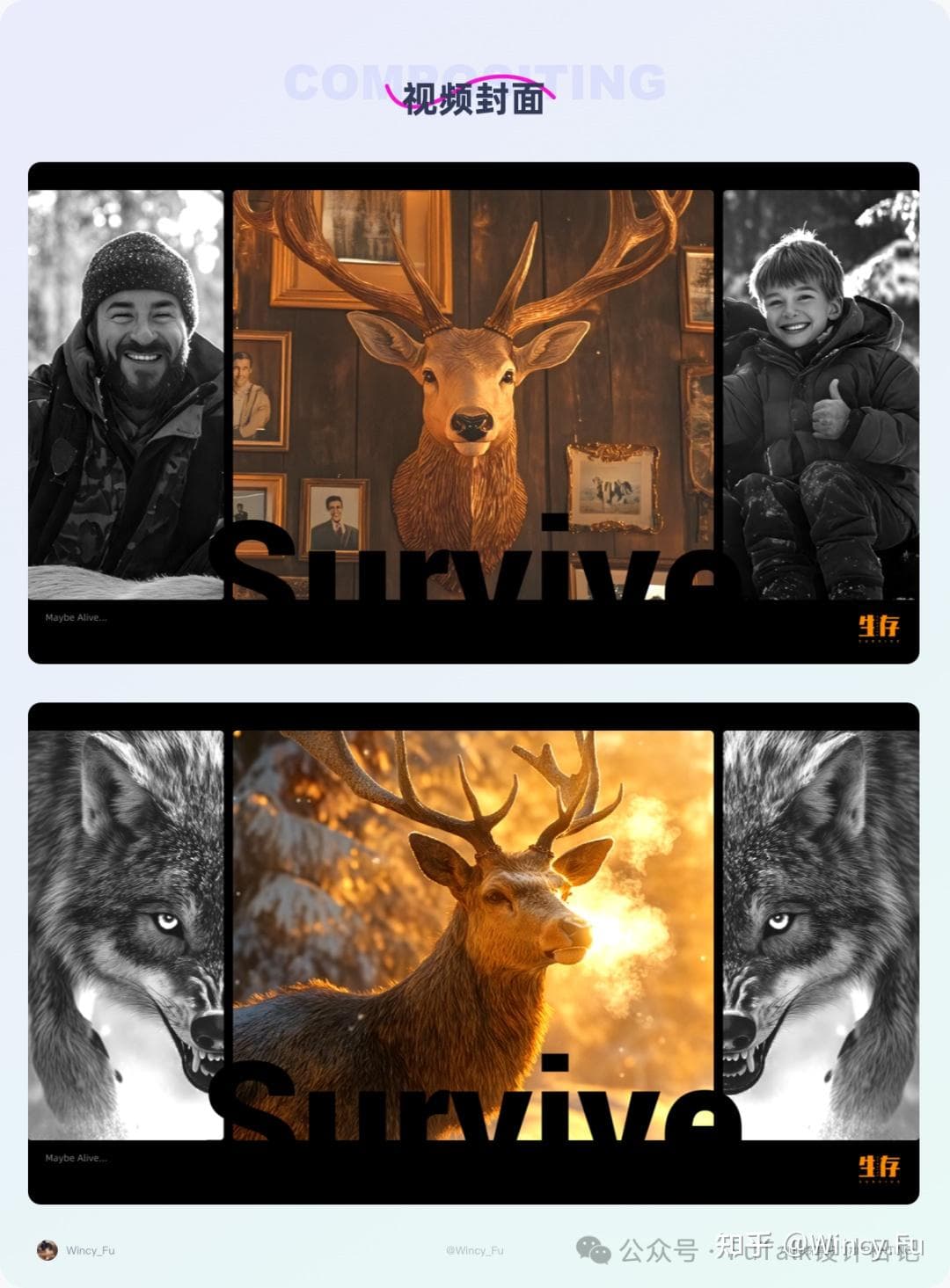
Finally, I created a video cover. Contrasting warm and cool colours, together with the animals’ and people’s expressions and gestures, brought out the theme of survival.
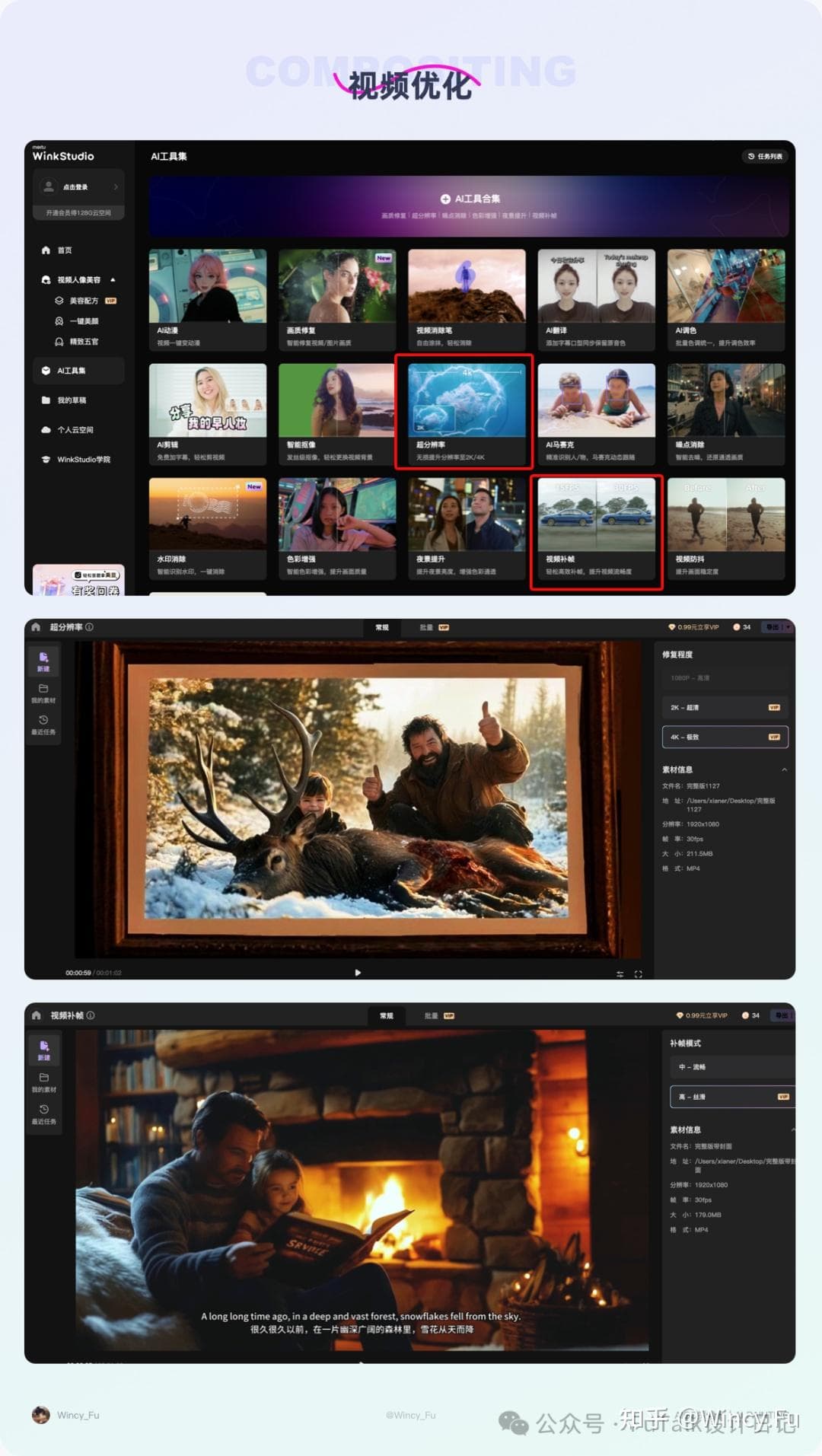
After completing the film, I used tools to improve its clarity by increasing resolution and frame rate. In Wink, I interpolated frames to make the movement smoother, then used its upscaling feature to increase the resolution to 2K or 4K.
V. Closing Thoughts
In this project, I put more effort into the script. I wanted the story to show different dimensions of survival: the stag seeks food to stay alive; the wolves hunt the stag for the same reason. Their behaviour is driven by survival, without added greed or malice. The humans in this story hunt for entertainment or decoration, rather than survival. Simply telling that story felt a little flat, so I framed it as a father telling a story to his daughter. Her final question invites the viewer to reflect.
One pleasant surprise was how well AI generated the animal fight scenes. The results were much better than I expected. The still images occasionally mixed up the animals, producing a wolf with antlers or a stag with a wolf’s face. Regenerating the image or manually compositing it in Photoshop could help. Filming a real animal confrontation would require a professional crew, long waits in the animals’ habitat, and working around weather and unpredictable behaviour. Compared with that costly, difficult process, generating images and video with AI was much more accessible.

More Original AI Tutorial Articles
AIGC Practice: Creating an Advertisement with AI, from Start to Finish
AIGC Practice: Creating a Cultural Tourism Video with AI, from Start to Finish
AIGC Practice: Creating an Animated Picture Book with Audio Using AI
AIGC Practice: Exploring the Full Workflow for a Clay-Style Mini Game
AIGC Practice: Creating a Short Film with AI, from Start to Finish
AIGC Practice: Exploring an AI-Assisted Packaging Design Workflow
AIGC Practice: Turning a Single Photo into a Variety of Portraits with AI
AIGC Course Series: An Introduction to Lingtu AI and Its Practical Applications