
- Website journal
- AI-Assisted Development
- Cursor
- Personal Website
Building a Personal Website with Cursor: A Designer’s Full Process and Lessons Learned
This was more than building a personal website: it was a complete experiment in taking an idea from zero to a working product with AI. I worked through every obstacle along the way, and will keep exploring new directions with AI.

Before We Begin
As a designer, I suspect I am not alone in wanting a personal website. I put the idea aside for a long time: learning frontend development felt like a big commitment, and I was reluctant to ask my developer colleagues to work for free. Last year, I also shared a lot of practical experiments with AI image generation. Different platforms apply different publishing rules, and some articles could not be published successfully. All of this prompted me to revive my plan to build an independent personal website.
Developing this site was an interesting experiment for me. I was not trying to become a programmer; I wanted to find out whether AI could help me turn my designs into a website that stayed as close to them as possible.
This article records the whole process of building the site with Cursor: my overall approach, how I used the tool, the problems I encountered and how I handled them, and what I learned along the way.
You are welcome to visit my personal website 👇👇
https://wincyfu.cn/

The site uses a fairly conventional single-column layout, with straightforward core sections: navigation, header, main content, and footer. The content includes About Me, products developed with AI, articles and tutorials, personal achievements, contact details, and recommended AI products. The live version ended up matching more than 90% of my intended design.
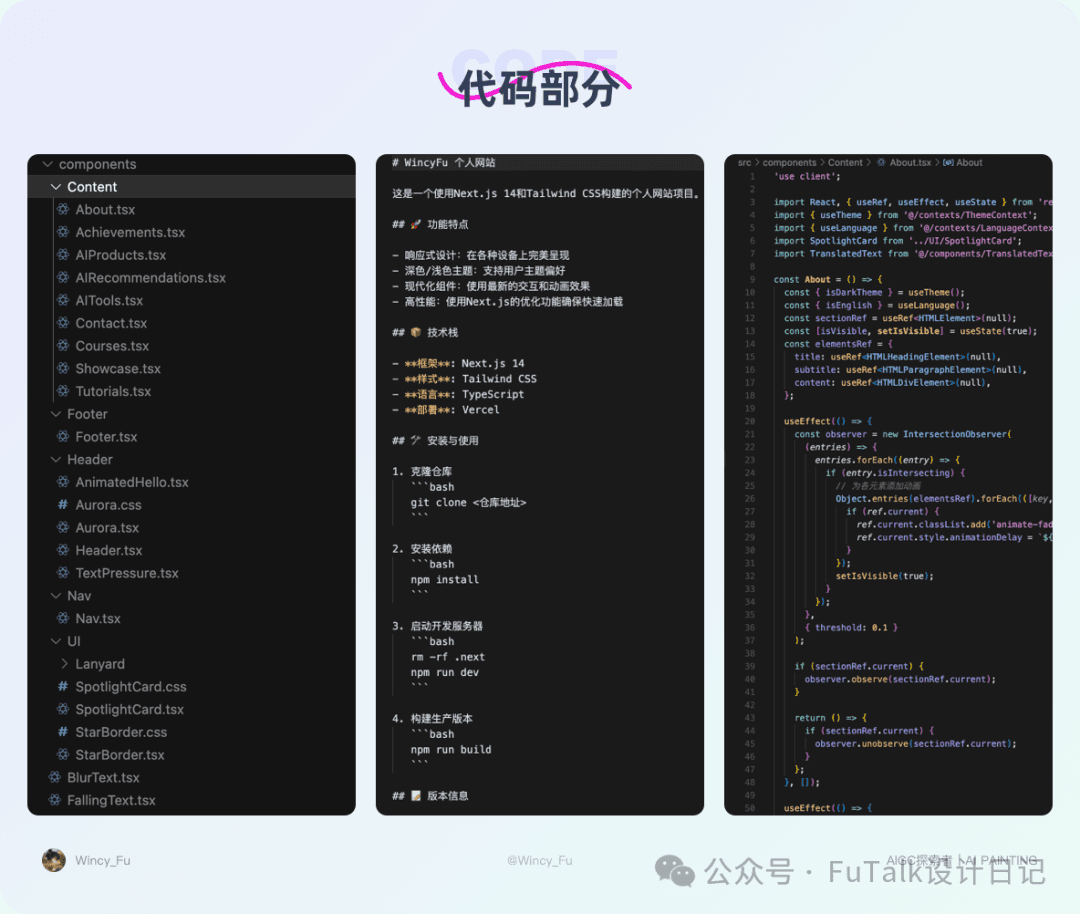
My coding knowledge amounted to a little CSS and HTML. I knew Cursor and Trae could help write code, but I had never built a complete project on my own. I was a total beginner. After a week of wrestling with it, I finished my first independently developed project. Some of the frustration is hard to understand until you have been through it yourself. But trust me: the moment it goes live, it feels worth it.

The process involved experimenting with MCP, testing exported assets and design specifications, discarding and rebuilding content, adjusting visual effects, struggling with Git synchronisation, dealing with inexplicably broken layouts, and chasing unfamiliar errors. Almost every day I swung between wanting to give up and trying once more. It was often overwhelming, but I worked through it bit by bit. Looking back, those moments that forced me to grow deserve a little applause too. 👏👏
1. Defining the Scope
Early Attempts
My first idea was simple. After seeing so many examples of websites built from a single prompt, I tried the same approach. I gave Cursor a detailed prompt covering dimensions, content, destination links, and the information it needed to retrieve. I hoped it would produce my ideal website in one go. The result was rough and fell well short of what I wanted.
Next, I created a design in Figma and connected Figma to Cursor through MCP, so Cursor could read the design and build the page directly. It sounded simple in my head. The actual output was still difficult to accept.
I changed course again, exporting assets and annotated specifications from Sketch, then giving Cursor those files alongside the Figma link and written descriptions. I hoped this would help it reproduce the design more precisely. It still did not achieve the result I wanted. My imagined effortless AI website builder had failed.
In the end, I worked from the existing V1.0 version and refined the site step by step until it was close enough to my design.
Trade-offs Along the Way
I originally planned to load the Articles and Tutorials and Personal Achievements sections dynamically from my WeChat account and Xiaohongshu, sorting the content by views and shares. In practice, there were many problems: some data could not be read, while other requests surfaced old posts I had hidden or deleted. The experience was a mess. After about a day of debugging without success, I abandoned the dynamic approach and displayed the content statically instead.
What I Learned
- Do not put too much faith in AI. It is very useful for building a first version and testing ideas quickly, but a real project still needs your involvement in refining details, improving the structure, and working through the logic.
- Do not get stuck chasing perfection. Finish a working version first. If a feature is difficult to implement, use a simpler approach to get the process running and see a result. Spending too long on one obstacle can damage both your confidence and the project’s progress.
2. Generating Code with AI Assistance
Saving Incremental Versions
This was actually the easiest part of the process, provided I was willing to slow down and communicate properly with Cursor. I used natural language throughout, in Agent mode with Claude 3.7 Sonnet. When my descriptions were clear, it could generate code quickly to match them. Early on, the most important thing was to think in page sections: navigation, header, content, and footer. Once I described the boundaries clearly, it could separate them properly, making later changes less likely to disturb everything else.
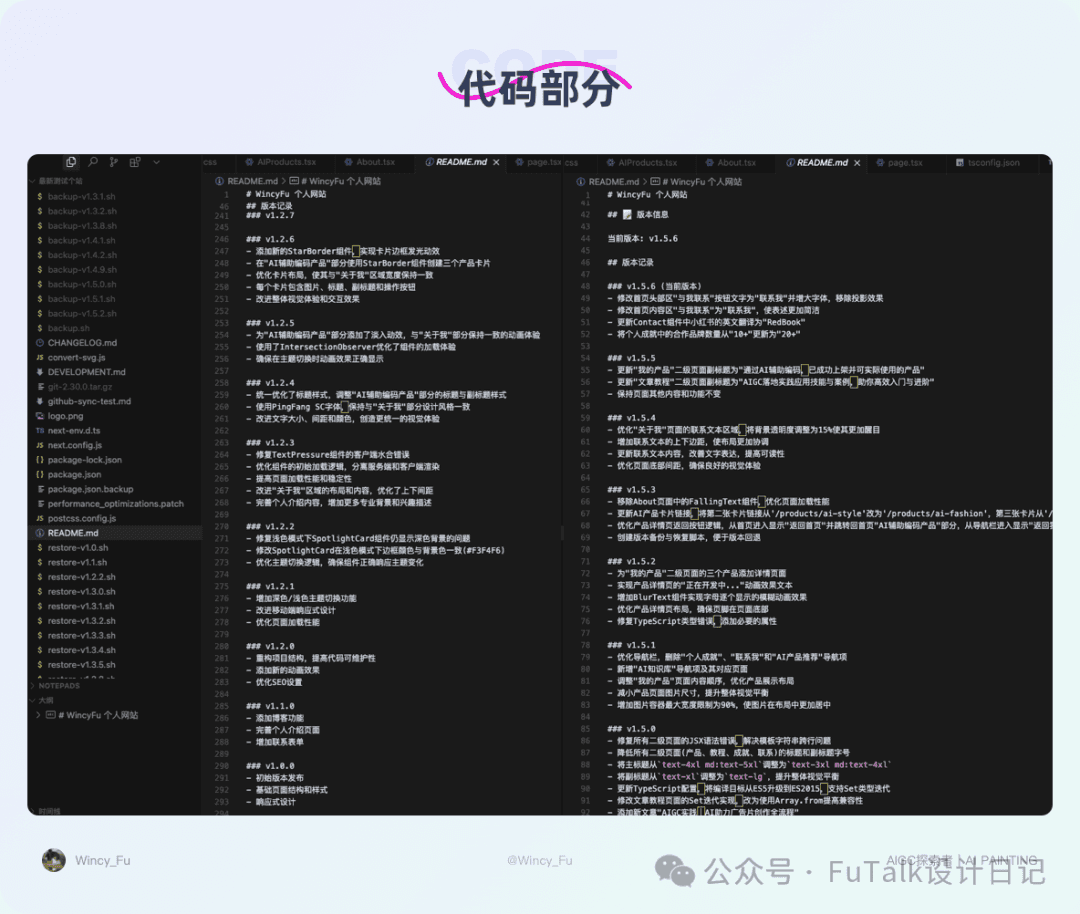
I like to create a README at the start and use version numbers to track each round of changes. After completing a few sections, I would give Cursor the prompt shown below. 👇
This made the process traceable and gave me a point to return to if an operation went wrong.
Prompting Tips
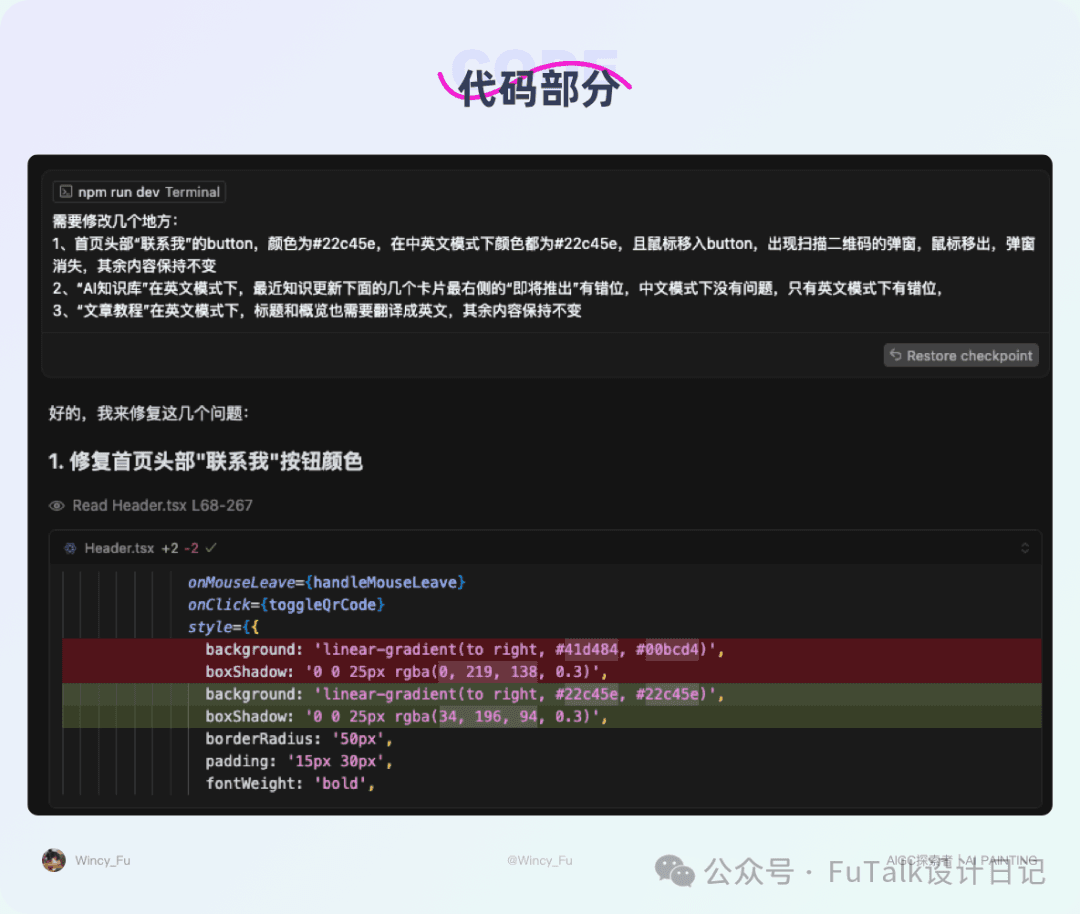
When requesting a change, keep the wording concise and give each request a single focus. I also add “Leave everything else unchanged” at the end to prevent AI from making extra changes on its own. In the example shown, I had separated my requests into bullet points, but the first bullet still contained two changes: the button colour and the mouse hover behaviour. Cursor changed only the colour, so I had to ask again for the rest. After that, I stopped bundling requests. The clearer and more specific the request, the more predictable the result.
Using Existing Components
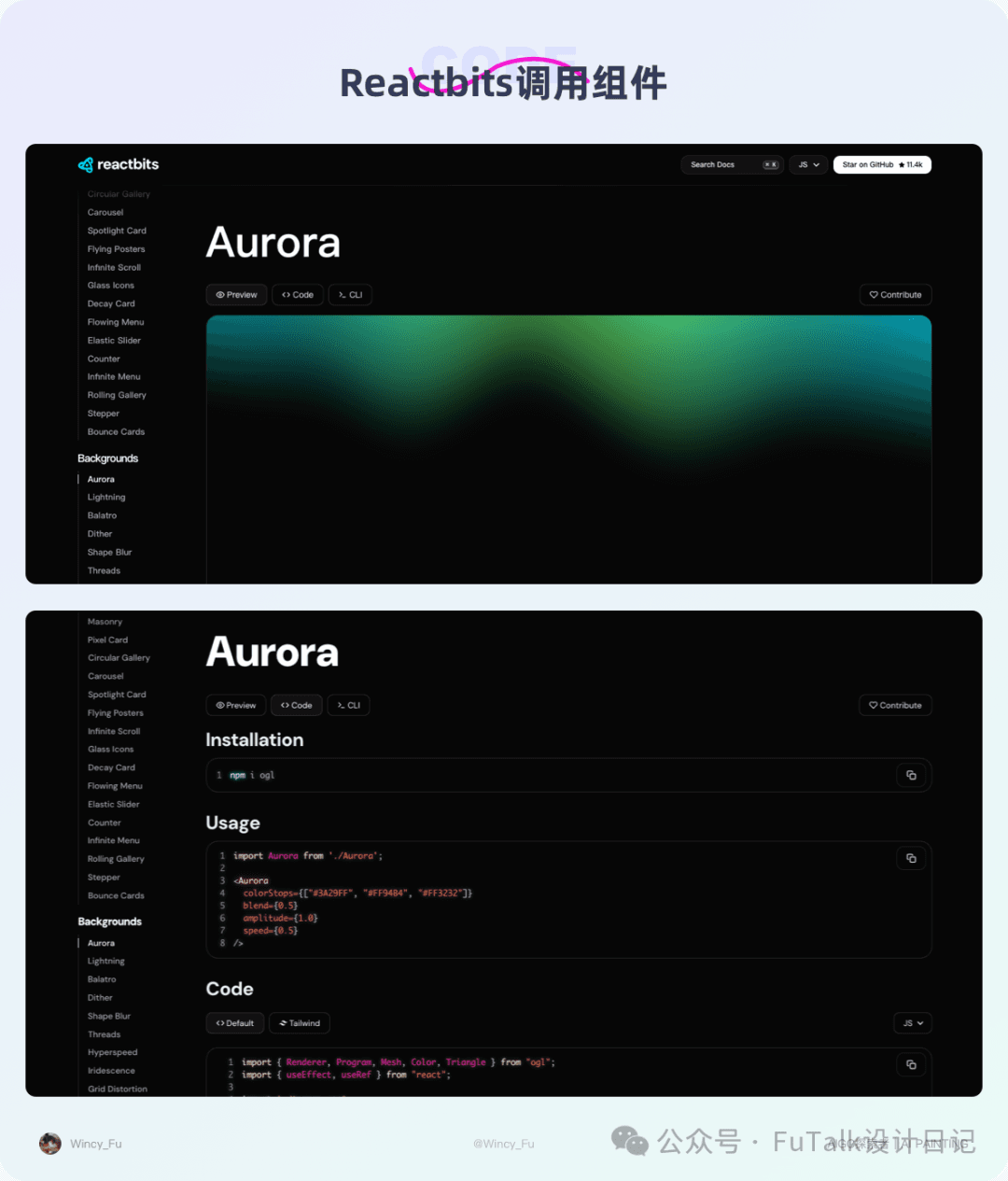
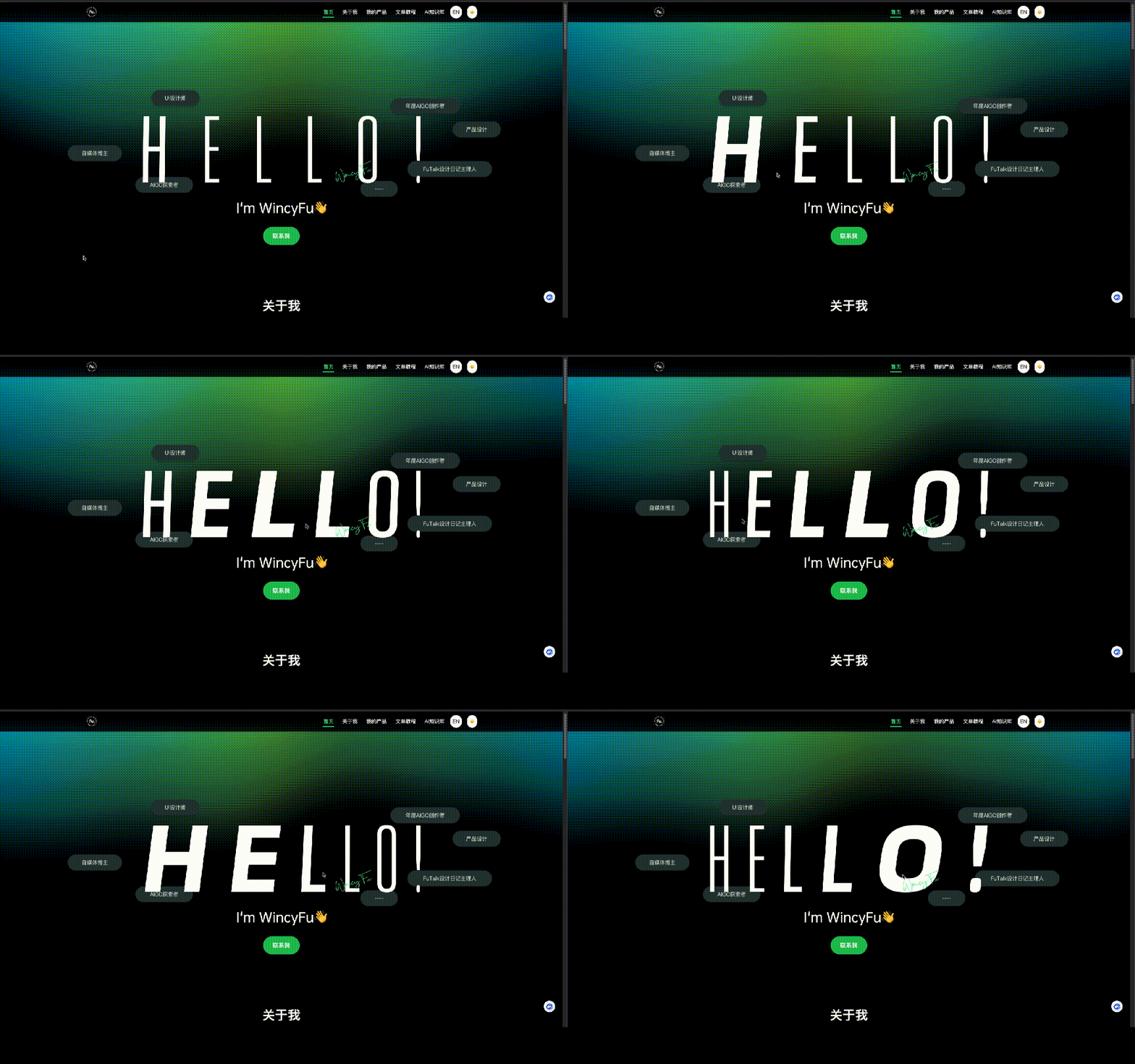
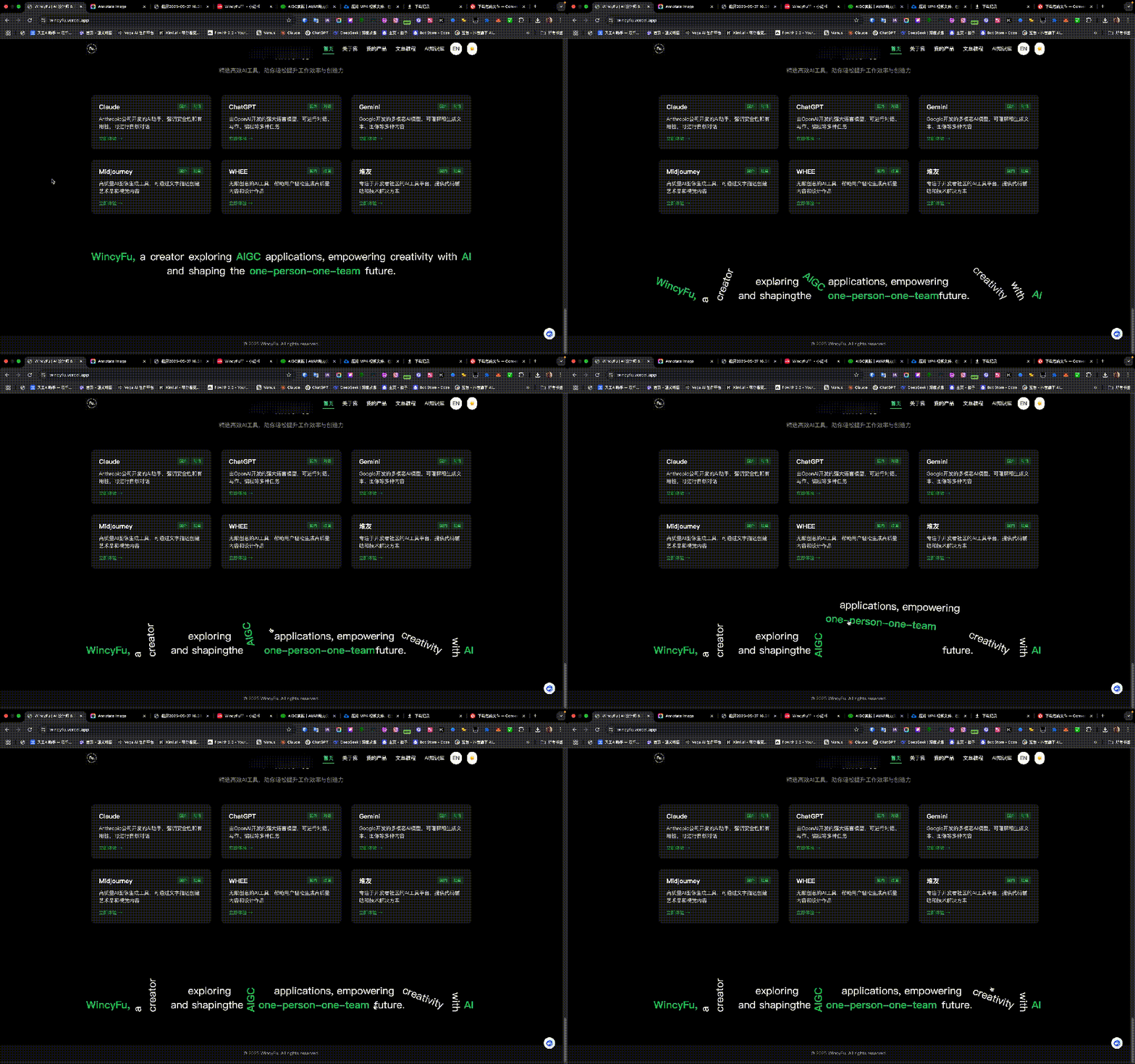
I used ready-made React Bits components for many of the site’s interactions. I copied the code into Cursor and asked it to integrate components such as Text Pressure and Aurora in the homepage header, and Falling Text in the footer.
Working with Images
For image sections, I first asked Cursor to create placeholders. It could build the structure without needing the final images from me. Once the images were ready, I placed them in public/images using the agreed filenames, replacing the placeholders, and saved the changes. This was very efficient. The prompt I used is shown below. 👇
Additional Suggestions
When refining details, finish one section before moving to the next. For Articles and Tutorials, for example, I first adjusted the heading and subheading fonts, sizes, spacing, and colours. Then I worked on the cards, including their text sizes, spacing, and images. Finally, I checked the entire section in both light and dark modes. Once the section was complete, I saved an incremental version before moving on to Personal Achievements.
- Use precise prompts and work in steps. Avoid a long bundle of requirements; give each request one clear focus.
- Make good use of your README and version history. Save often so you can experiment and return to an earlier version when something goes wrong.
3. Deploying the Site
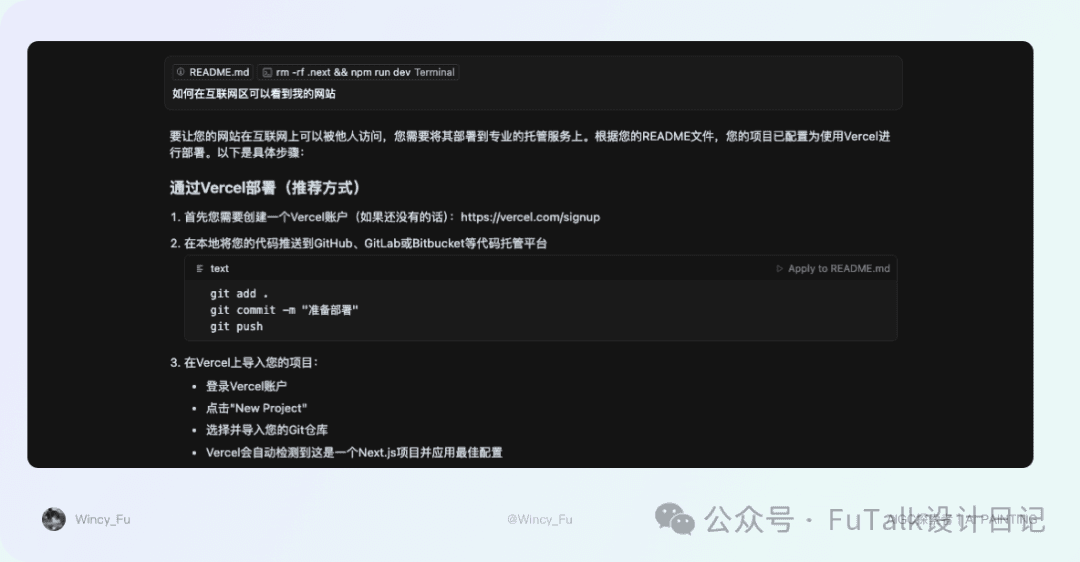
Once the basic functionality and page details were largely in place, deployment became the next priority. Honestly, this was the area I knew least about. Git, remote repositories, and hosting platforms were all new to me. Git synchronisation caused so many problems that I eventually asked my frontend and backend colleagues for help in person.
At first, I naively expected Cursor to deploy the website to the internet in one step. The Git submission failed. A backend colleague suggested trying Gitee, but that did not work either. Eventually, a colleague used a series of force-push commands I did not understand to get the code uploaded. I thought Gitee Pages would solve the deployment problem, only to discover that the service had been suspended. I was stunned and nearly gave up.
We initially suspected a file-size limit, but further investigation pointed to my Git version as the underlying problem. After asking Cursor to downgrade it, I finally managed to push the code to GitHub. I compared several hosting options and chose GitHub with Vercel for a simple reason: easy deployment and automatic updates. Once local changes were synchronised to GitHub, Vercel could update the site automatically.
This sounds straightforward on paper. Looking back at my conversations with Cursor, however, repeated submission failures blocked deployment and delayed the launch by at least a day.
- Understand the full process and check tool compatibility beforehand. This can prevent many basic problems.
- My preference is GitHub, since I did not end up using Gitee afterwards. Many hosting services can synchronise code directly from GitHub, which is convenient. A reliable network connection matters too.

Choosing a Model
I used Cursor 0.49.6 (Universal) and subscribed to make development easier. I initially used Agent mode with Claude 3.7 Sonnet MAX. My early experiments used up the available allowance in just two days; MAX was billed by usage. I then switched to Claude 3.7 Sonnet and completed the rest of the website with it.
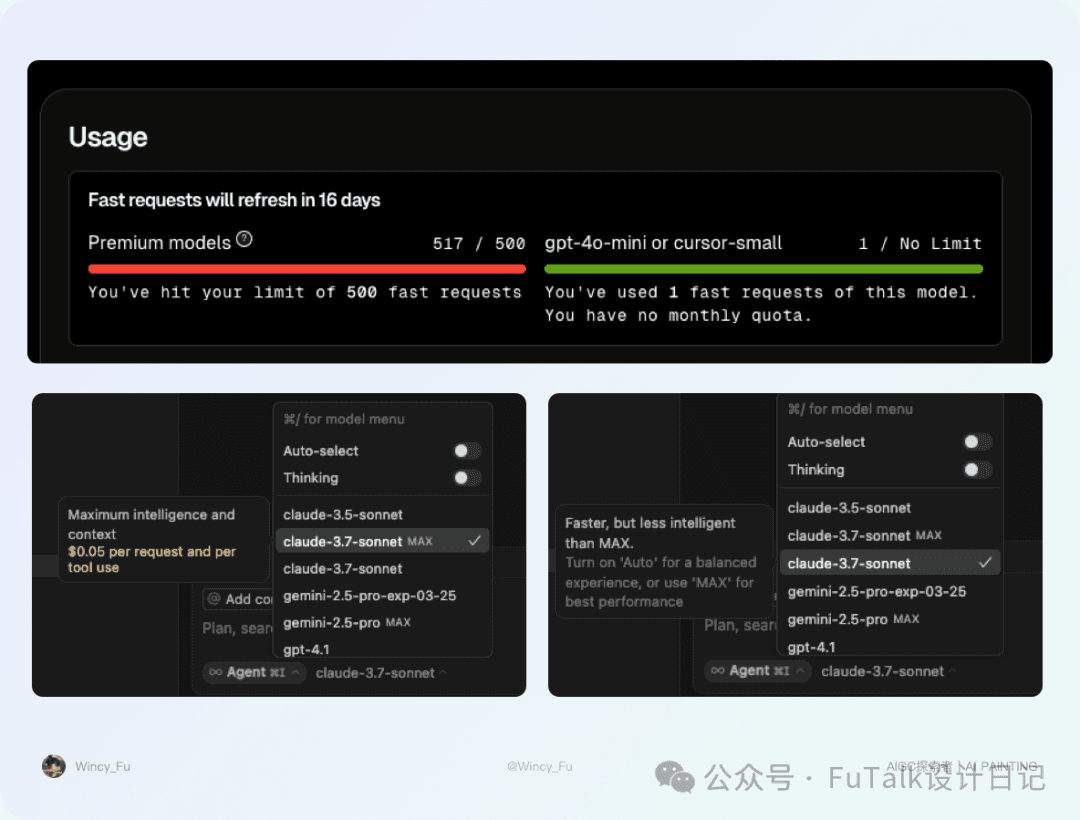
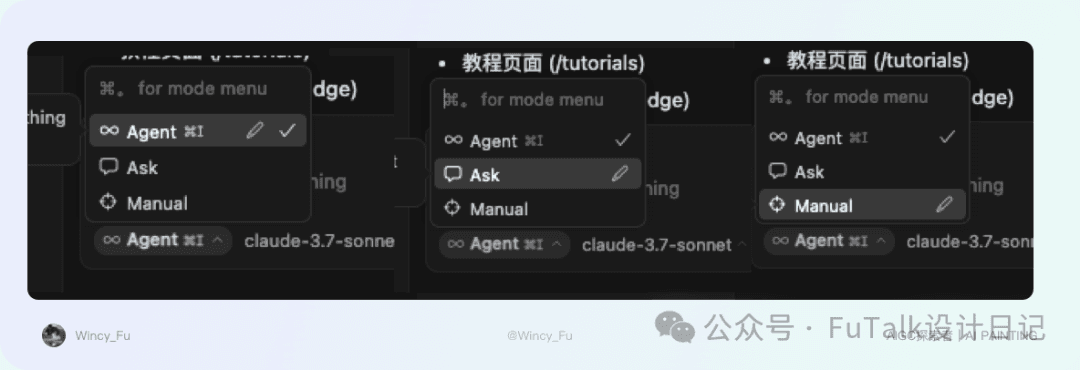
The version of Cursor I used offered three main modes: Agent, Ask, and Manual.
Agent was the default and most capable mode for complex tasks. It could explore the codebase, read documentation, browse the web, edit files, and run terminal commands on its own. It was my usual starting choice.
Ask worked much like a read-only mode: it could read files and other context, but could not make changes itself.
Manual was intended for targeted code changes. It did not explore the codebase or run terminal commands; control remained entirely with the user.
I built the whole site in Agent mode. You can choose the mode that suits your needs.
Handling Errors
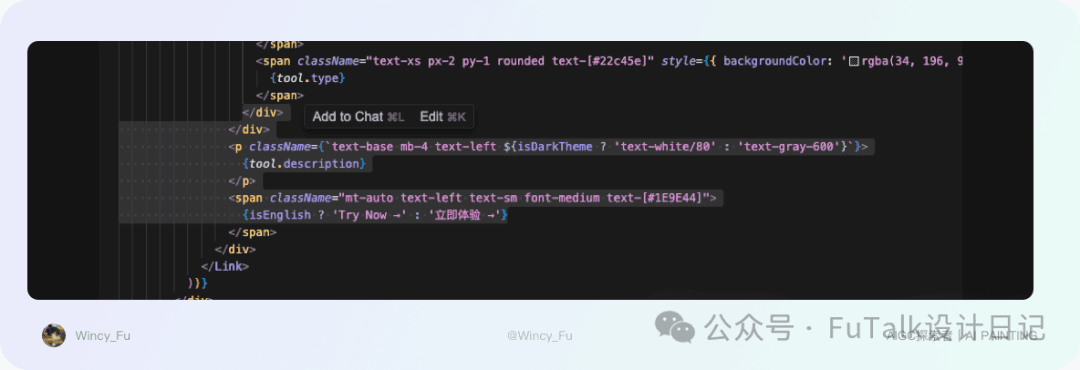
I generally handled errors in one of two ways. I could send a screenshot with a short note saying there was an error and ask Cursor to fix it. Or, if I saw an error highlighted in the code, I could select the relevant code and click “Add to Chat,” allowing Cursor to inspect that location. These two approaches resolved most of the problems I encountered.
One Request per Chat
I have not tried this method yet; I read about it elsewhere and plan to use it next time. Start a new chat for each small problem so it is easier to trace and review later. Examples might be “[Frontend] Adjust SpotlightCard styling” or “[Git] Network issues during synchronisation.”

Review and What Comes Next
I will continue developing the site: loading content dynamically from the backend, launching an AIGC weekly publication, adding more AI product case studies, and trying new projects. I want to build a complete process from product idea and design through development, launch, and ongoing operation, moving towards my goals one step at a time.
This experiment also made me reconsider my identity. As a designer, it is easy to get caught up in details, repeatedly adjusting an effect or a spacing value. From the perspective of a product builder, or an independent creator, polished visuals alone are clearly not enough. Content structure, interaction logic, implementation, deployment, data loading, speed, and responsive behaviour all need thought and attention. It helps to step outside a single professional role and look at the whole project.
Ultimately, this was more than building a personal website. It was a complete experiment in taking an idea from zero to a working product with AI. I worked my way out of each problem I encountered. I will keep using AI to explore other directions and take on more projects.